
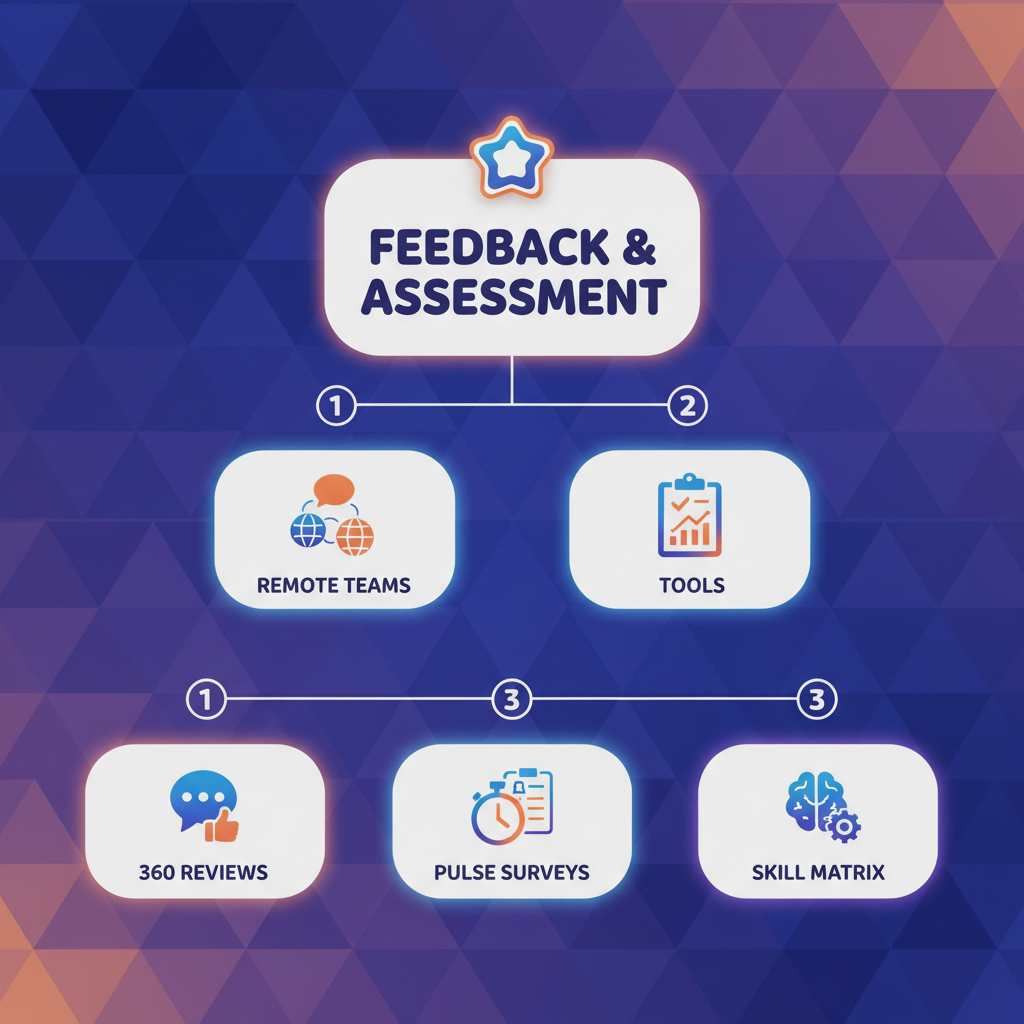
What if the biggest remote team problem is not output, but silence? A team can keep moving while trust, clarity, and motivation slip out of view.
That is where feedback tools and assessment tools become part of remote team management, not just extra admin.
Gallup’s State of the Global Workplace reported that global employee engagement fell to 20% in 2025, down from 23% in 2022, while manager engagement dropped from 27% to 22% between 2024 and 2025.
In a remote setting, that kind of drop does not announce itself neatly.
It shows up as slower replies, vague updates, awkward meetings, and work that looks finished until someone checks the details.
The hardest part is that distance makes weak signals look normal.
A missed concern can hide inside a chat thread, and a performance issue can look like a bad week for far too long.
Strong remote teams do not rely on guesswork.
They use regular feedback and fair assessment to surface problems early, keep expectations visible, and turn scattered comments into action before small issues harden into habits.
Quick Answer: Remote teams need feedback and assessment tools to replace lost “ambient” signals, because silence hides clarity and support problems until they affect deadlines. Gallup reports employee engagement fell to 20% in 2025 (from 23% in 2022) and manager engagement dropped to 22% (from 27% in 2024), making structured pulse/360 feedback and regular performance measurement essential. Teams that standardize usage—rather than relying on chat alone—can surface issues early and turn comments into tracked next steps across time zones.
Why feedback and assessment matter more in remote work than in office settings
In remote teams, the problem isn’t usually that people don’t work—it’s that important signals don’t travel consistently.
Your best contributor can be doing great work and still feel invisible until a deadline slips.
In an office, useful feedback leaks through the walls. People overhear questions, spot confusion early, and catch wins while they’re still small.
Remote work removes most of that ambient signal, so feedback tools and assessment tools become the only reliable way to understand how work is actually going.
That’s why remote team management needs more structure than a steady stream of messages.
Gallup’s 2026 State of the Global Workplace report says global employee engagement fell to 20% in 2025, and manager engagement dropped from 27% in 2024 to 22% in 2025 (Gallup’s 2026 State of the Global Workplace report).
When managers are stretched thin, remote teams feel it fast: fewer coaching moments, less confidence, and more guesswork.
> A chat thread can keep work moving, but it cannot measure whether people feel clear, supported, or stuck.
That is where rhythm matters.
Productive.io’s 2026 remote team management guide pushes structured async updates, decision logs, and response-time norms because chat alone loses context over time (Productive.io’s remote team management guide).
The same principle applies to assessment: you need a repeatable system, not just more messages.
- Visible work becomes invisible work. Output still exists, but the path to it disappears unless teams capture progress in writing.
- Confidence depends on feedback cadence. Small doubts grow when nobody checks in, especially for newer remote hires.
- Career momentum needs evidence. Regular reviews and peer input create a record that supports promotions and raises.
- Messages are not measurement. A busy inbox can hide stalled projects, uneven workload, or disengagement.
A simple example: a weekly pulse check with the same five questions tells you far more than a casual “How’s it going?” in Slack.
Tools like FeedbackPulse make that easier by combining pulse surveys, performance reviews, and 360° feedback in one place, which is exactly the kind of structure remote teams need.
Remote work rewards clarity.
The teams that grow are usually the ones that measure, compare, and adjust before problems turn into habits.
The core feedback tools remote teams use to stay aligned
Remote teams rarely struggle because feedback doesn’t exist—they struggle because feedback is scattered across too many places.
Chat, meetings, surveys, and review forms can all run at once, yet the team still misses the real signal.
The useful stuff gets split across threads, and nobody is sure which tool holds the truth.
That is why the best feedback tools and assessment tools do one job well.
The workflow matters: when feedback isn’t captured in a consistent place, it becomes harder to notice patterns, harder to coach early, and harder to turn input into decisions.
The trick is matching the tool to the job.
A weekly check-in should not behave like a performance review, and a pulse survey should not carry the weight of peer evaluation.
When teams keep those lanes separate, remote team management gets a lot less noisy.
Tool categories at a glance
| Tool category | Primary use | Best for | Strengths | Limitations |
|---|---|---|---|---|
| 1:1 check-in tools | Recurring manager-employee conversations | Coaching, blockers, goals | Keeps context in one place, supports action items | Can turn into status reporting if prompts are weak |
| Pulse survey tools | Short recurring sentiment checks | Morale, workload, engagement | Fast to answer, easy to trend over time | Too many surveys create fatigue |
| Peer feedback tools | Structured input from coworkers | Collaboration, behavior, cross-functional work | Broadens perspective beyond the manager | Can feel awkward without clear norms |
| Recognition tools | Public or peer-to-peer praise | Reinforcing good work and values | Simple, visible, easy to adopt | Not a substitute for assessment |
| Async feedback platforms | Written comments, decision logs, thread-based follow-up | Distributed teams across time zones | Better traceability, fewer meetings | Action items can get buried |
| Performance review suites | Formal review cycles and calibration | Consistent evaluations and promotion decisions | Templates, history, reporting | Heavier setup, slower cadence |
| 360 feedback tools | Multi-rater input from peers, managers, reports | Leadership growth and self-awareness | More complete picture of behavior | Needs careful framing and anonymity |
| Decision-log tools | Feedback tied to decisions and tasks | Teams that need accountability | Reduces confusion about next steps | Fragmentation if used outside one workflow |
Happily.ai notes that pulse tools often lose adoption when they become quarterly chores, and that pattern is exactly how silence creeps in.
Three mistakes show up again and again.
- Too-frequent surveys: People stop answering when every week feels like another pop quiz.
- Vague prompts: Questions like “How’s everything going?” sound friendly, but they rarely lead to action.
- No visible follow-up: Feedback without a named owner becomes office theater, even in remote work.
The cleanest setups keep feedback narrow, timely, and tied to a next step.
That is the difference between a tool stack that clarifies work and one that just adds more tabs to ignore.
Assessment tools that turn remote performance into measurable progress
Good assessment in remote work should help teams navigate—not just judge.
When assessment tools are designed well, they turn scattered work into clear signals about direction.
That matters more than ever: when you cannot “see” effort happening in the room, progress has to be made legible.
Measure the work, not the noise
The cleanest remote team management setup tracks three things at once: output, collaboration, and growth.
That mix gives managers a fuller picture than chat volume or meeting attendance ever will.
A good assessment system usually keeps the measures simple and visible.
- Output: Track goal progress, milestone completion, and delivery quality against a clear objective.
- Collaboration: Look at handoff quality, response clarity, and whether teammates can move work forward without friction.
- Growth: Use competency frameworks and self-assessments to show where someone is building skill, not just finishing tasks.
Competency frameworks work best when the language stays plain. “Can own a project,” “can coach others,” and “can improve a process” are easier to use than a wall of corporate jargon.
Self-assessment matters too.
When employees reflect before a review or check-in, managers get context that a dashboard cannot provide.
Keep the workflow light
The fastest way to ruin an assessment system is to make it feel like surveillance.
If every update feels watched, people start optimizing for appearances instead of progress.
That is why the design of the workflow matters as much as the questions themselves.
Team tools should do at least one of these for you:
- Reduce context loss (capture the “why” behind decisions).
- Make expectations repeatable (use the same criteria each cycle).
- Convert insights into next steps (turn feedback into a plan).
A practical rhythm looks like this: set goals, ask for a short self-review, compare it with manager notes, then turn the gap into a development plan.
That is enough to keep the process useful without turning it into a weekly interrogation.
Used well, assessment tools make remote work easier to steer.
They give people a fair read on progress and give managers fewer guesses to make.
How feedback and assessment tools support career growth for ambitious remote professionals
For ambitious remote professionals, promotion often hinges on evidence—not volume.
In a remote setup, feedback tools and assessment tools do more than rate performance.
They expose patterns: where your communication lands well, where your output is strong, and where your next level still looks a little fuzzy.
That matters more in 2026 than most teams want to admit.
Gallup’s 2026 workplace report says global engagement fell to 20% in 2025, and manager engagement dropped from 27% to 22% between 2024 and 2025 (State of the Global Workplace).
When attention is thin, progress has to become visible on purpose.
Turning assessment results into an action plan
A useful assessment is not a verdict.
It is a map.
The smartest remote professionals use it to spot skill gaps, point out promotion-ready behavior, and turn vague feedback into weekly habits.
That works best when the signals are specific.
For example, a recurring note about “great execution” is nice, but a pattern of strong ownership plus reliable follow-through is far more useful when a promotion review comes around.
Remote team management guidance also leans this way, emphasizing structured async updates and decision logs so progress does not disappear between meetings (Productive.io remote team management guide).
Turning assessment results into a career plan
| Career area | What to look for | What action to take | Expected outcome |
|---|---|---|---|
| Communication | Feedback says your updates are clear, but too late | Send a short weekly status note before it is requested | More trust and fewer follow-up questions |
| Productivity | You finish work well, but priorities shift often | Track one weekly priority and one blocked item | Cleaner focus and better output consistency |
| Collaboration | Peers praise your help, but not your visibility | Share decisions, not just deliverables, in team threads | Stronger recognition across the team |
| Ownership | Managers rely on you without asking twice | Document decisions and next steps after key tasks | Clear evidence of independence |
| Leadership readiness | You coach others or improve team process | Volunteer to run a retro, checklist, or handoff doc | A visible step toward people leadership |
That keeps the work practical, and it gives managers something real to notice.
In tools like FeedbackPulse, structured pulse surveys, 360 feedback, and review templates make those patterns easier to see across the board.
The tricky part is when your environment offers too little structure.
Ask for sharper feedback, not more of it.
A simple request like, “Which part of my work most helped the team this month, and what should I tighten before my next review?” usually gets better answers than “Any feedback?”
That kind of question turns assessment into momentum.
It also makes career growth feel less mysterious, which is a relief on any remote team.
Building a feedback culture that works across time zones and work styles
In remote teams, the hardest feedback to deliver isn’t always the content—it’s the timing, format, and context.
What feels supportive in one time zone can land like a correction in another.
That happens a lot in remote work.
Gallup’s 2026 report makes the urgency clear: global employee engagement fell to 20% in 2025, while manager engagement dropped from 27% to 22% between 2024 and 2025.
When the people closest to the work are already stretched, the culture around feedback has to do more than point out problems.
It has to make people feel safe enough to tell the truth.
The strongest remote teams use simple norms.
They separate the signal from the tone, and they make feedback predictable.
Productive.io recommends structured async updates, decision logs, and response-time norms for remote team management, which is exactly the sort of scaffolding that keeps feedback from becoming a guessing game.
Live meetings still matter, especially for nuance and trust.
Remote Success Hub’s own reporting on virtual meeting tools found that 67% of organizations improved collaboration in 2025 after adopting them, and 61% of remote workers used Zoom as their primary meeting tool that year, which shows where real-time conversation still has room to work.
A healthy rhythm usually looks like this:
- Async for clarity: Use written check-ins for updates, blockers, and reflections. It gives quieter teammates the same voice as the loudest ones.
- Live for sensitive topics: Use calls for disagreement, coaching, and anything that needs tone or instant back-and-forth.
- Consistent timing: Keep weekly, monthly, and quarterly touchpoints stable so feedback feels routine, not reactive.
- Visible follow-through: Log decisions and next steps in one shared place so nobody wonders whether feedback changed anything.
- Psychological safety first: Start with behavior and impact, not personality. That keeps people open instead of defensive.
For structured listening, tools like FeedbackPulse can help with pulse surveys, 360 feedback, and performance reviews, including ready-made templates such as a weekly pulse check and leadership effectiveness survey.
That kind of cadence works best when managers explain why they are asking, what will happen next, and when the team will hear back.
Consistency builds trust.
Transparency keeps feedback from feeling random.
And once both are in place, feedback tools stop feeling like monitoring and start acting like a real support system for remote team management.
What are the best feedback tools for remote teams?
The best feedback tools for remote teams centralize input into clear, repeatable signals instead of scattering it across chat, meetings, and forms. Look for tools that help teams capture consistent 1:1 notes, run short pulse checks, collect structured peer feedback, and tie comments to follow-up actions. The key is not the category—it’s whether your team can trend feedback over time and convert it into decisions.
How do assessment tools help managers evaluate performance in remote teams?
Assessment tools help managers evaluate remote performance by converting scattered work updates into signals about direction, not just activity. Instead of relying on whether someone “worked hard,” good assessment clarifies whether outputs are moving the team forward and where expectations aren’t landing. They also support career decisions by providing evidence and patterns, which matters when visibility depends on structured feedback.
How often should remote teams run pulse surveys or feedback check-ins?
Remote teams should run pulse surveys or feedback check-ins on a consistent cadence—regular enough that silence doesn’t build up between deadlines, but not so frequent that people stop responding. Pair short pulses with periodic broader input (like 360 feedback) so you get both day-to-day signals and a wider perspective for growth and reviews.
What metrics show whether a remote feedback tool is working (adoption, response rate, action rate)?
A remote feedback tool is working when adoption is high, response rates stay healthy, and feedback leads to action. Track:
- Adoption to confirm the team uses the system (not just chat).
- Response rate as a proxy for psychological safety and engagement.
- Action rate to ensure comments become owned next steps.
High action rate is the strongest sign the tool isn’t producing noise—it’s improving how work runs.
How can 360-degree feedback be structured to reduce bias in remote organizations?
360-degree feedback should be structured with standardized templates and clear criteria so reviewers know what “good” looks like and can’t drift into personal preferences. Use consistent question sets, separate signal from tone, and collect input from multiple perspectives (peers, managers, and relevant collaborators). In remote settings, predictable norms and structured formats help reduce bias by keeping timing, format, and expectations consistent across teams and time zones.
Make Feedback the Operating System
The strongest remote teams do not rely on constant chatter.
They use feedback tools to catch problems early and assessment tools to turn effort into visible progress.
That shift matters because silence in remote work usually means drift, not calm.
The example to remember is the team spread across time zones, where a delayed check-in can hide confusion for days.
A simple rhythm of regular feedback, paired with clear performance assessment, keeps remote team management grounded in facts instead of guesswork.
It also gives ambitious people a cleaner path to growth, because progress stops feeling vague.
Pick one loop to tighten today: a weekly check-in, a monthly review, or a shared scorecard with a few real metrics.
If you want a practical starting point, our resources can help you choose a setup that fits your team without adding noise.
The best remote systems do one thing well: they make it easier to see what is working before it quietly stops working.