
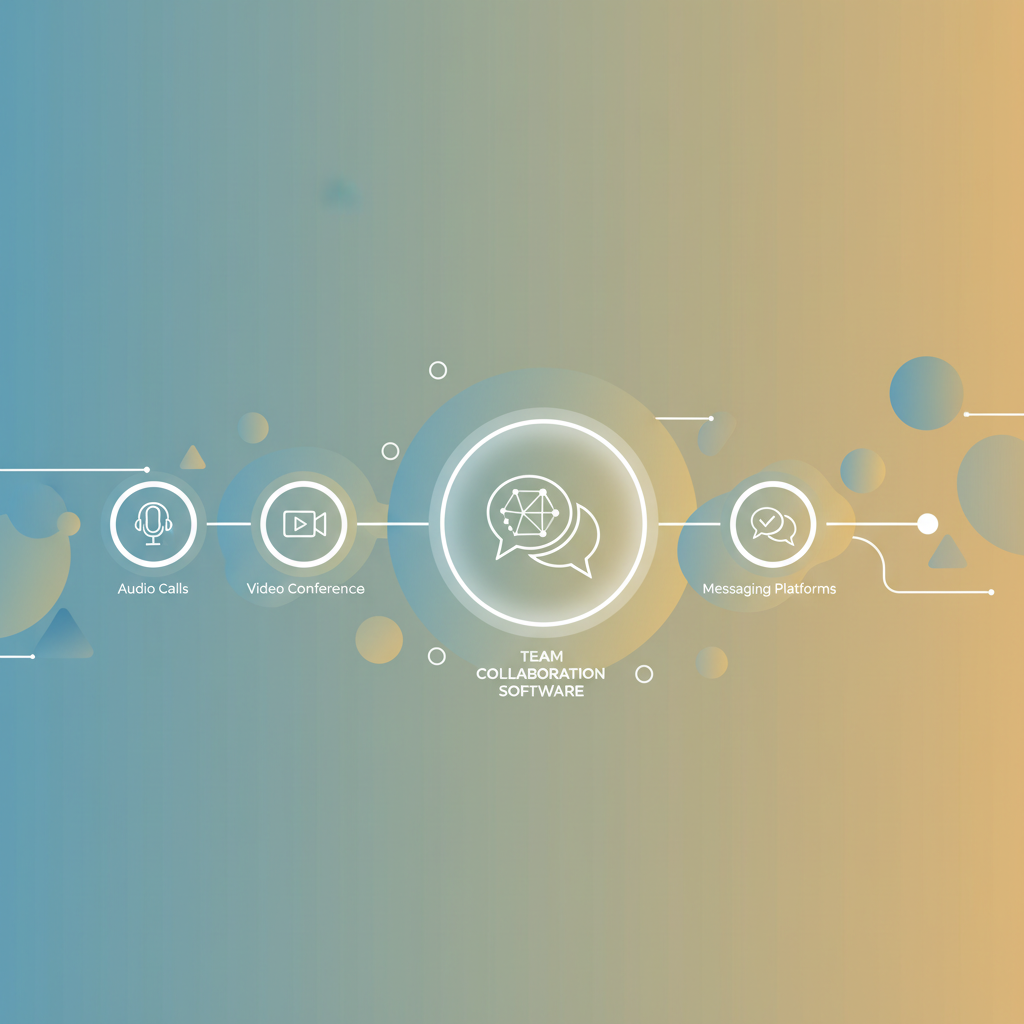
What if the work itself is clear, but the people are not? That is where remote teams slip fast: one person thinks a task is blocked, another thinks it is already moving, and the only thing growing is confusion.
That is why remote communication tools matter so much.
They do more than move messages around; they keep context attached to the work, which is the real difference between a smooth day and a messy one.
The importance of communication shows up most in the small moments.
A quick thread can prevent three follow-up calls, and a shared update can spare someone in another time zone from waiting until morning for a simple answer.
Strong team collaboration software also changes how decisions stick.
When chat, video, shared docs, and task tracking work together, a team does not have to hunt through five places to remember what was agreed, who owns it, or what changed.
That matters even more for remote work, where silence can mean progress or a problem.
A team that communicates well does not just feel more connected; it usually moves with fewer mistakes, less friction, and a lot less guesswork.
What if your remote team could work faster without more meetings?
A remote team usually slows down for one boring reason: the context lives in too many places.
A question starts in Slack, gets half-answered in a DM, then the real decision happens in a call nobody fully documented.
That kind of drift is why communication breaks so easily.
In person, people catch tone, hesitation, and quick clarifications almost by accident.
Remote work strips away most of that, so even small gaps in the importance of communication turn into rework, delays, and awkward guesswork.
The problem gets worse when teams rely on scattered chats instead of structured tools. Remote communication tools like Slack and Microsoft Teams help most when conversations stay threaded and tied to a topic, because the history stays visible instead of disappearing into private side chats.
A simple example shows the difference.
A product update discussed in a Slack channel, recorded in Confluence, and linked to a Jira issue gives everyone the same map.
A version buried in three separate DMs gives everyone a different story.
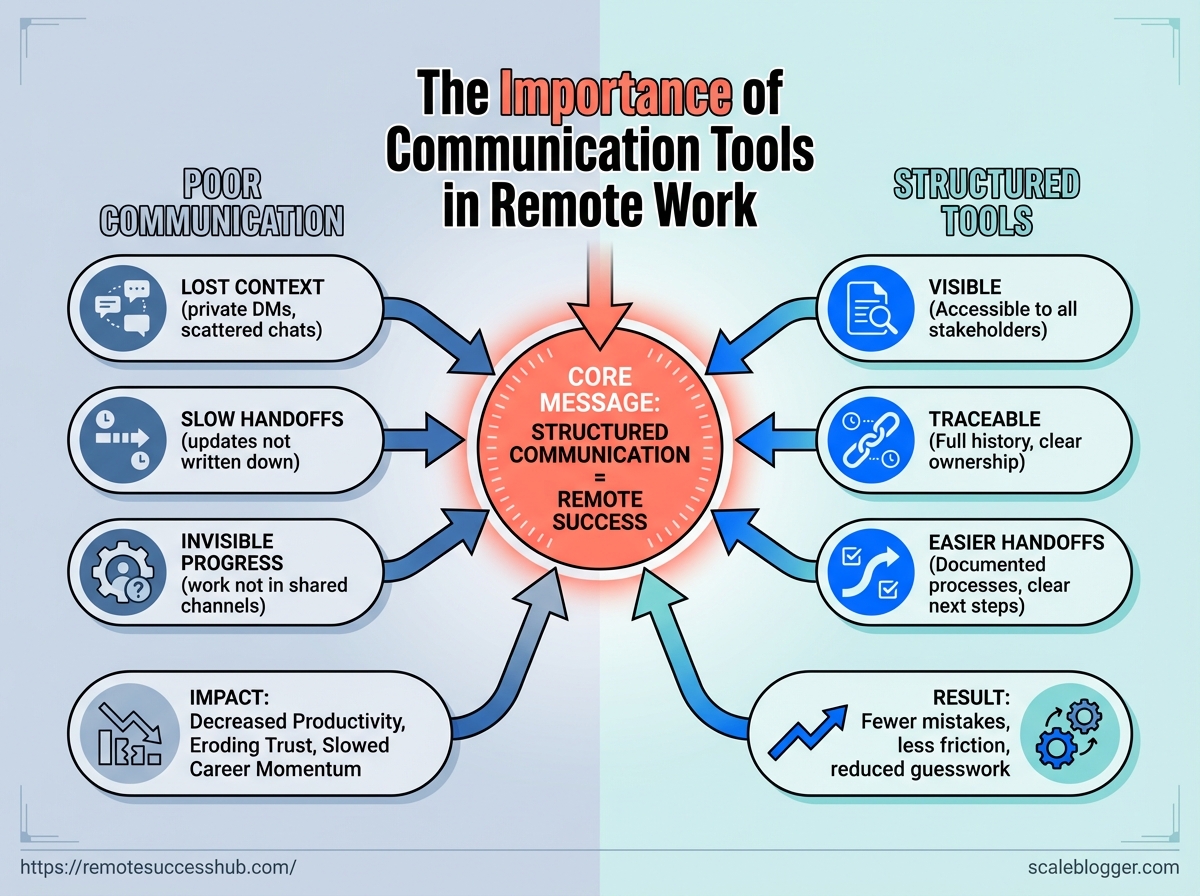
Poor communication hits three places fast: productivity, trust, and career momentum.
Productivity drops because people wait for clarification instead of moving forward.
Trust erodes when teammates keep hearing “I thought someone else handled that.” Career momentum slows when good work stays invisible because nobody documented it or connected it to the bigger project.
That is why team collaboration software matters beyond convenience.
It is not just about chatting faster.
It is about making work visible, traceable, and easier to hand off across time zones.
Lost context: Decisions hidden in private messages create duplicate work and more follow-up questions.
Slow handoffs: If updates are not written down, the next person starts from scratch.
Invisible progress: Strong work gets missed when it never appears in a shared channel, doc, or task board.
Zoom Meetings or Google Meet still matter for live problem solving, especially when screen sharing clears up a messy issue fast.
But the smartest remote teams use meetings for decisions, not for basic status hunting.
When communication is clear, the whole team moves with less friction.
That is usually where the speed comes from.
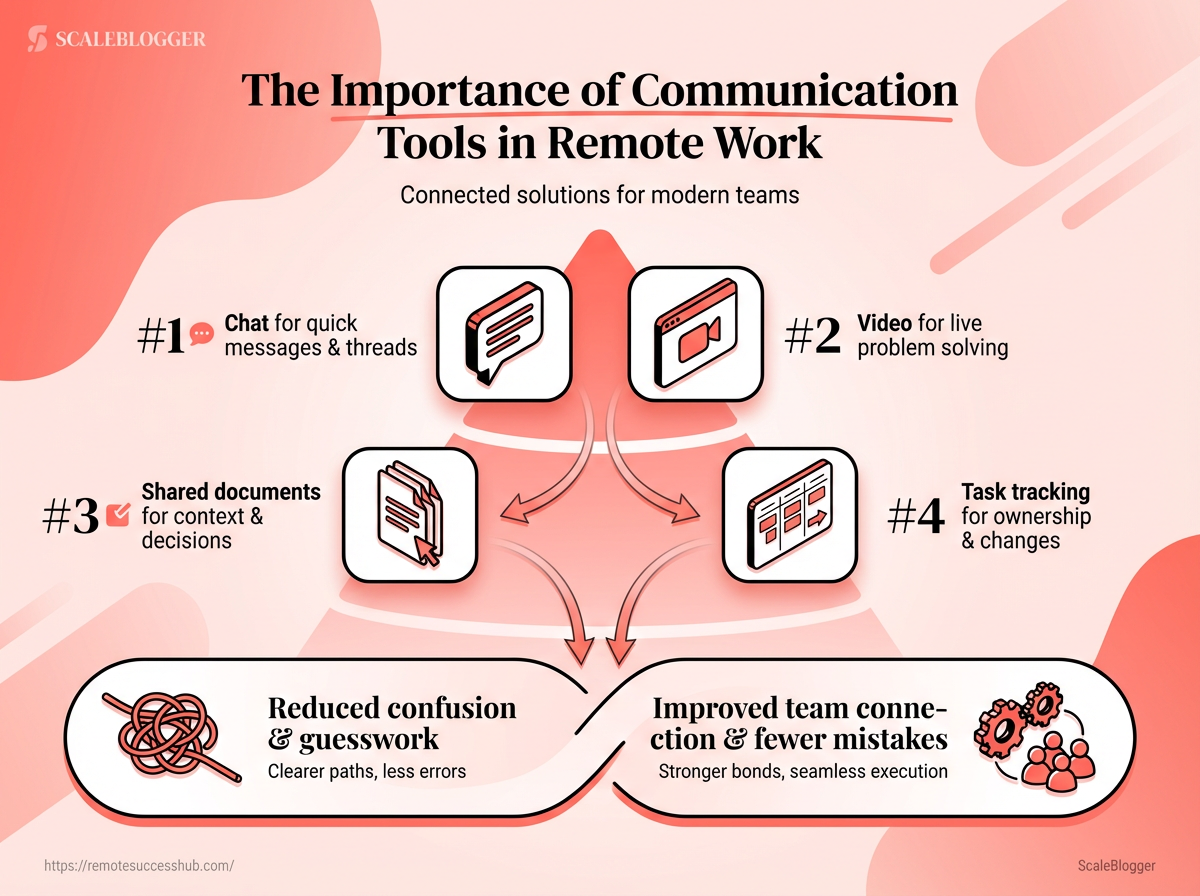
The role of communication tools in modern remote work
A chat box is not the whole job. Remote communication tools now act like the nervous system of a distributed team, moving questions, decisions, files, and follow-ups through the day.
That matters because the importance of communication in remote work is not just about speed.
It is about keeping work visible when people are not sharing the same room, desk, or time zone.
The best team collaboration software does three jobs at once.
It helps people talk, it keeps decisions findable later, and it connects discussion to the work itself.
Tools like Microsoft Teams, Slack, Zoom Meetings, Google Meet, Confluence, and Jira each cover a different part of that job.
How team collaboration software supports alignment across time zones
A team in New York, Berlin, and Singapore does not need more noise.
It needs clean handoffs, clear records, and a place where work keeps moving after one person signs off.
That is where communication tools go beyond messaging.
Video calls handle live problem-solving, while shared docs and task systems preserve the details people need when they wake up six hours later.
Confluence, for example, works well as a knowledge base for policies, meeting notes, and working agreements, while Jira keeps tasks tied to actual progress instead of vague promises.
| Tool category | Primary use | Best for | Common limitations | Example platforms | |—|—|—|—|—| | Instant messaging | Fast text communication in channels or direct messages | Quick questions, lightweight coordination, status nudges | Can become noisy without good channel discipline | Slack, Microsoft Teams | | Video conferencing | Live audio and video meetings with screen sharing | Walkthroughs, interviews, training, and fast feedback | Requires everyone to be available at the same time | Zoom Meetings, Google Meet, Cisco Webex Meetings | | Project collaboration | Tracking tasks, owners, and deadlines | Coordinating deliverables, dependencies, and handoffs | Can feel heavy if teams do not keep it updated | Jira | | Async documentation | Storing decisions, notes, and process docs | Time-zone alignment, onboarding, and reference material | Only works well if teams actually maintain it | Confluence | | All-in-one workspaces | Combining chat, meetings, files, and calendar flows | Teams that want fewer tools and less switching | May still need add-ons for deeper workflows | Microsoft Teams, Google Workspace |
The pattern is pretty clear.
Instant chat keeps people moving, video fixes messy moments quickly, and documentation protects teams from time-zone gaps.
For remote teams, that blend is usually stronger than any single app.
The strongest setups use one place for conversation, one place for decisions, and one place for tasks, with a few tools such as remote success resources helping people choose a workflow that fits real work instead of theory.
Key features that matter most for ambitious remote professionals
What good is a fast chat app if nobody can find the decision later? For ambitious remote professionals, that is the real test.
The best remote communication tools do more than move messages around.
They keep context intact, make work visible, and reduce the tiny delays that quietly drain momentum.
That is why the strongest team collaboration software usually wins on three things: searchable history, clear links between conversation and work, and low-friction access across devices.
Slack’s channel threads, Microsoft Teams’ channels and file links, and Confluence or Jira-style records all solve the same problem in different ways.
They help people answer one question fast: “What happened, who decided it, and what happens next?”
The importance of communication changes once a team spans time zones.
Live calls still matter, especially for screen sharing and quick problem solving in Zoom Meetings, Google Meet, or Webex Meetings.
But the bigger advantage comes from async updates that let work keep moving after the meeting ends.
Real-time and async together
A strong platform should support both.
Use live chat or video for fast alignment, then switch to written updates and threaded replies when the topic needs a paper trail.
Searchable history that actually helps
A buried decision is almost the same as no decision at all.
Searchable channels, pinned notes, and a shared wiki make old context easy to recover without asking the same question twice.
Files, tasks, and decisions in one place
Remote work gets messy when files live in one tool, tasks in another, and decisions in someone’s head.
Linking a Jira issue to a discussion, or storing policy notes in Confluence, keeps the whole trail visible.
A few features separate decent software from truly useful tools:
Threaded conversations: Keep one topic from splintering into ten side chats.
Shared file access: Let people open the latest version without hunting through email.
Task visibility: Tie discussion to action so deadlines and owners stay obvious.
Mobile notifications: Help remote professionals respond fast without living in their inbox.
Integrations: Connect chat, calendars, documents, and work tracking so context follows the work.
A polished setup also cuts friction in small but painful ways.
Fast notifications matter, but so does control over them.
Mobile access matters, but so does having the same conversation history on every device.
That combination is where remote professionals save time.
For anyone building a serious remote workflow, the best tools are the ones that make decisions durable and work easy to trace.
Platforms like https://remotesuccesshub.com/ fit naturally into that mindset when the goal is practical, everyday progress.
How communication tools improve individual performance and team collaboration
What if the real productivity boost was not more focus time, but faster clarity? That is where remote communication tools earn their keep.
They cut the time people spend guessing, chasing context, and re-explaining work that should already be obvious.
A Slack channel with threaded replies keeps a product question tied to the original discussion.
A Teams channel does something similar while sitting closer to Microsoft 365 files, meetings, and calendars.
That structure matters because it reduces the little misunderstandings that slow remote teams down.
The same logic helps with accountability.
When a Jira issue is linked to a conversation, a Confluence note, or a meeting recap, the work has a paper trail.
People can see who owns what, what changed, and what still needs attention.
Faster responses and fewer misunderstandings
Remote work gets messy when messages float around without context.
Threaded chat, topic-based channels, and shared docs keep the conversation attached to the task, which makes replies faster and less ambiguous.
Video helps when text is too slow.
Zoom Meetings, Google Meet, and Webex Meetings are especially useful when a screen share can settle a problem in minutes instead of twenty back-and-forth messages.
Use threads for decisions: Keep one topic in one place so the answer does not scatter.
Use video for visual work: Walk through designs, bugs, or onboarding steps live.
Use shared notes after calls: Capture the result where everyone can find it later.
Better ownership, accountability, and follow-through
Ownership gets stronger when work lives in plain sight.
A task in Jira, a discussion in Slack or Teams, and a written decision in Confluence create a simple trail from idea to delivery.
That trail makes follow-through easier.
If a deadline slips, the team can see whether the blocker was unclear requirements, missing input, or a dependency that never got surfaced.
Stronger visibility that helps people stand out
Remote professionals often get noticed for the quality of their updates, not just their output.
Clear status notes, crisp replies, and well-timed handoffs make someone look reliable fast.
This is where team collaboration software becomes a career tool, not just a convenience.
When your work is easy to trace, your contribution is easier to trust.
Post progress early: Small updates beat silence.
Link work to outcomes: Connect chat to the task, and the task to the result.
Close loops cleanly: Say what changed, what is next, and who owns it.
Tools do not create good teamwork on their own.
They do, however, make good habits visible, and that is often what separates smooth remote teams from noisy ones.
How to choose the right communication stack for your remote workflow
What if the real problem is not the tool, but the mismatch? A remote team can own Slack, Zoom, Jira, and Drive and still feel disjointed if each app is doing the wrong job.
The cleanest way to choose a stack is to start with the communication problem, not the product name.
If your work needs fast back-and-forth, team collaboration software with channels and threads fits better than a heavy meeting setup.
Adoption matters just as much.
If people need a mini training session to send a simple update, the stack is too complicated, and if security or admin control matters, Microsoft Teams or Cisco Webex often make more sense than a loose mix of casual tools.
Match the tool to the communication problem you are solving
| Remote challenge | Helpful feature | Why it matters | Best-fit tool type | |—|—|—|—| | Too many meetings | Threaded written updates and shared channels | Routine status updates stay out of live calls | Team chat platforms | | Asynchronous updates | Channels, shared docs, and comments | People in different time zones can keep moving | Team chat platforms or knowledge bases | | Reduces interruptions | Status controls, muted channels, and scheduled updates | Protects focus time without hiding progress | Team chat platforms | | Project collaboration tools | Task links, issue tracking, and linked discussions | Keeps decisions attached to actual work | Jira-style work management tools | | Lost context | Threaded conversations and topic-based channels | Replies stay with the original topic | Slack or Microsoft Teams | | Searchable message history | Search, pinned messages, and retained threads | Older decisions are easier to recover | Team chat platforms | | Makes decisions easy to find | Decision logs, meeting notes, and wiki pages | Turns conversation into a record of truth | Confluence-style knowledge bases | | Team chat platforms | Channels, direct messages, and threads | Best when quick coordination matters most | Slack or Teams | | Scattered files | Shared document storage and permissions | Keeps the latest file in one place | OneDrive, SharePoint, or Google Drive | | Shared document storage | Co-editing, version history, and comments | Prevents duplicate drafts and lost edits | Cloud docs in Microsoft 365 or Google Workspace | | Keeps work organized | Spaces, folders, and links between docs and tasks | Reduces hunting across apps | All-in-one workspaces | | All-in-one workspaces | Chat, meetings, files, and calendar links | Fewer handoffs, fewer tabs, less drift | Microsoft Teams or Google Workspace |
The pattern is pretty clear.
Live meetings solve urgency, written channels solve memory, and wikis solve continuity.
If a team already lives in Microsoft 365, Teams plus OneDrive and SharePoint can feel naturally connected.
If the work is more task-heavy, Slack plus Jira keeps conversations closer to execution.
Security and fit should close the deal.
The right stack is the one people actually keep using on Monday morning, not the one with the longest feature list.
A practical checklist from Remote Success Hub can make that comparison much easier.
Remote Team Communication Tools ChecklistPractical habits that make communication tools more effective
What if the real problem is not the app, but the habits around it? Remote communication tools do their best work when people know where to post, how fast to answer, and when a conversation deserves a written record.
That matters because the importance of communication shows up in tiny frictions.
A team can have strong team collaboration software and still waste time if every question becomes a private message or every decision vanishes after a call.
The cleanest fix is usually simple.
Set a few rules, repeat them often, and make the rules easy enough that nobody has to guess.
Set response-time norms and channel rules
A channel works better when everyone knows its job.
Urgent issues belong in a clearly marked space, routine updates go into the shared channel, and private matters stay private.
This keeps people from hovering over their inbox all day.
It also helps distributed teams trust the system instead of chasing answers in three different places.
Define response windows: Use different expectations for urgent, same-day, and nonurgent messages.
Assign a purpose to each channel: One for decisions, one for updates, one for questions, and one for social chat if the team wants it.
Use status updates consistently: A quick note like “deep work,” “in meetings,” or “away until tomorrow” cuts down on unnecessary pings.
Use documentation to stop repeat questions
A message is easy to forget.
A written note in a shared space stays useful long after the chat scrolls away.
This visual shows a simple loop: a question enters chat, gets answered or escalated, and then the result lands in documentation.
That one habit stops the same question from coming back next week.
A shared note works even better when it includes the decision, the owner, and the date.
In remote teams, that small discipline often matters more than the tool itself.
Build a simple meeting-to-action system
Meetings feel productive when they end with clear next steps.
Without that, they become polite interruptions.
Use a repeatable rhythm: capture the decision in the meeting, post the action item in writing, and assign one owner per task.
Teams that rely on remote communication tools for this handoff usually move faster because nobody has to re-interpret the conversation later.
A good habit is enough.
Clear rules, visible status, and written follow-through turn team collaboration software into something calmer and far more useful.
Conclusion
Clear Signals Beat More Meetings
A remote team can look busy and still move slowly.
The real advantage comes from clear signals, not extra calls, which is why the importance of communication keeps showing up in every strong remote setup.
Good remote communication tools and the right team collaboration software do more than send messages; they reduce guesswork before it turns into delay.
That “one person thinks it is blocked, another thinks it is moving” example is the whole story in miniature.
When updates live in the right place and habits stay consistent, people stop chasing status and start finishing work.
That is where performance improves, both for the individual and for the team around them.
Today, pick one recurring point of confusion and fix it. Maybe that means choosing one channel for task updates, tightening how decisions are recorded, or replacing a noisy tool with something simpler.
If you want practical remote-work resources to support that process, platforms like Remote Success Hub are worth a look.