
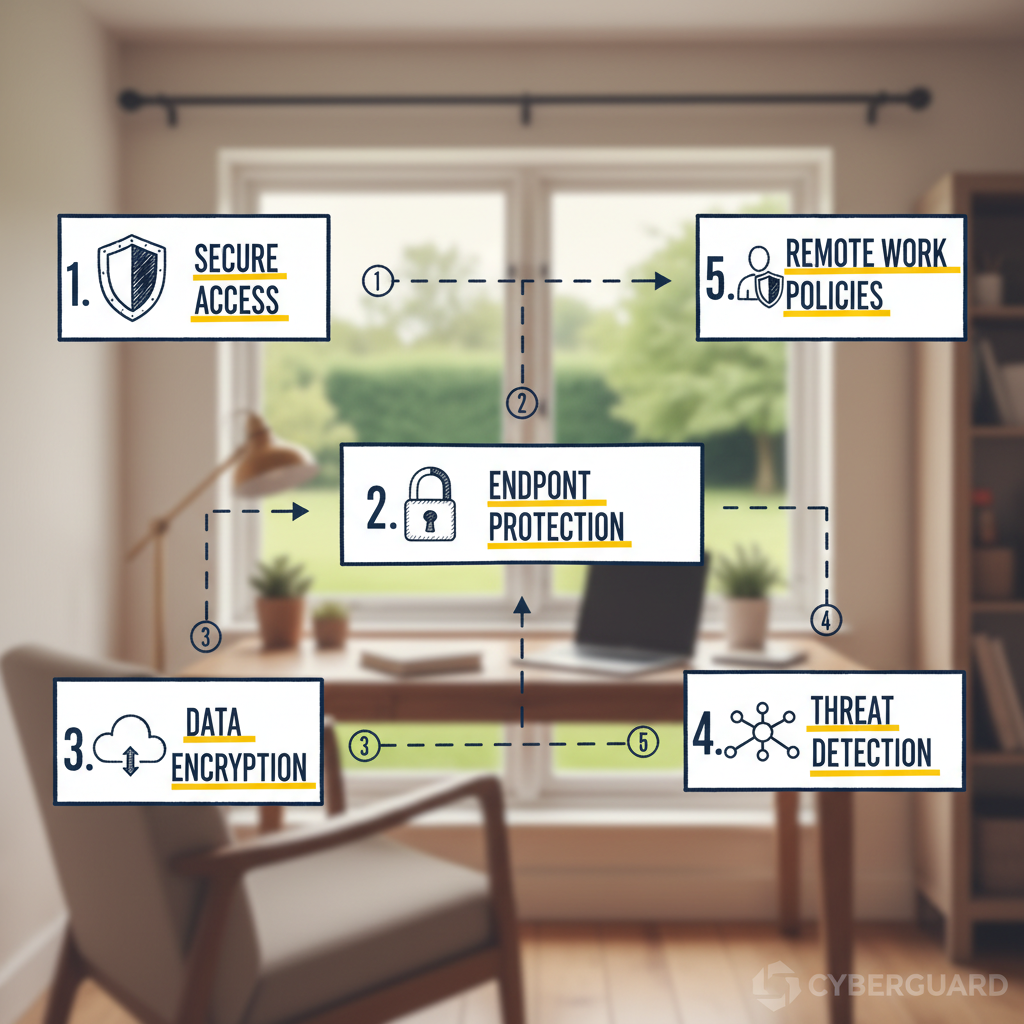
One wrong click from a remote employee can expose an entire network.
This is the daily reality of cybersecurity for remote work.
Security teams are increasingly facing challenges with the rise in cyber threats.
Protecting remote work data means pairing tools, policies, and ongoing education.
Choosing the right combination of solutions and habits is essential to mitigate risks effectively.
Opening — Why remote work security is a career skill
Could one security mistake cost your remote career? It’s not a hypothetical anymore.
A sharp rise in attacks aimed at remote workers has changed how employers judge risk and responsibility.
Remote work widened the attack surface.
In 2025, 82% of organizations reported an increase in cyber attacks targeting remote employees.
That single statistic explains why security competency is now part of professional competence.
For an individual contributor, cybersecurity for remote work means more than using a company laptop. It means owning practical habits that protect data, systems, and reputations.
Small slips — a misconfigured file share, a reused password, or a delayed update — can escalate into a breach that affects the whole team and reflects on the person who opened the door.
What a single mistake looks like, and how to prevent it, matters for career mobility.
Employers are increasingly including security behavior in performance conversations.
Being seen as the person who reduces risk will make you indispensable.
Being seen as the person who caused a breach can end a role or stall promotion.
How a single mistake can damage a career
A leaked credential or a click on a targeted phishing link can expose customer data or internal secrets.
That exposure triggers incident investigations, loss of client trust, and sometimes legal or financial fallout.
It also creates lasting reputational damage.
Teams remember who caused the outage.
Hiring managers ask about security practices during interviews now.
Demonstrable security competence becomes a differentiator.
What cybersecurity responsibility looks like for an individual contributor
Remote security is mostly practical habits and basic tools.
The next items are the everyday actions that prevent incidents and keep your career moving forward.
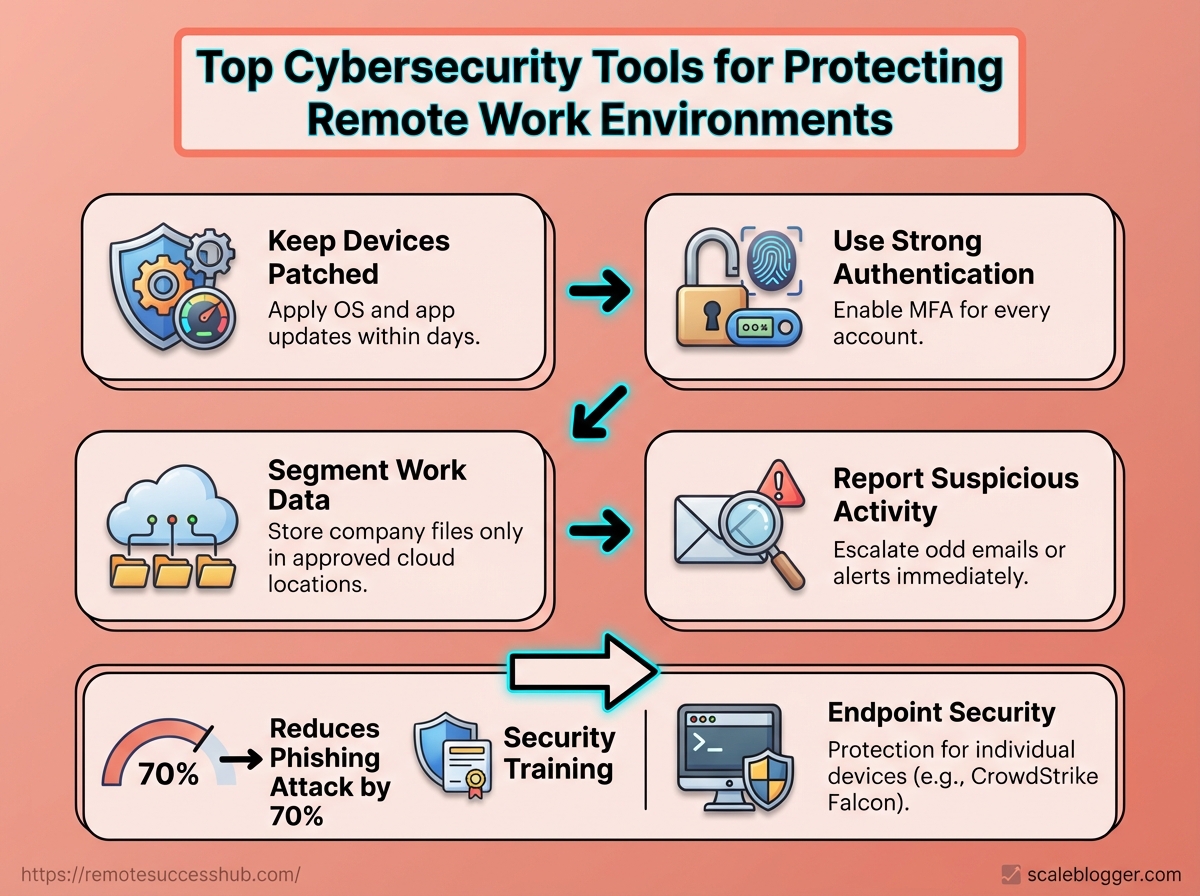
Keep devices patched: Apply OS and app updates within days, not weeks.
Use strong authentication: Enable
MFAfor every account that supports it.Segment work data: Store company files only in approved cloud locations.
Report suspicious activity: Escalate odd emails or alerts immediately.
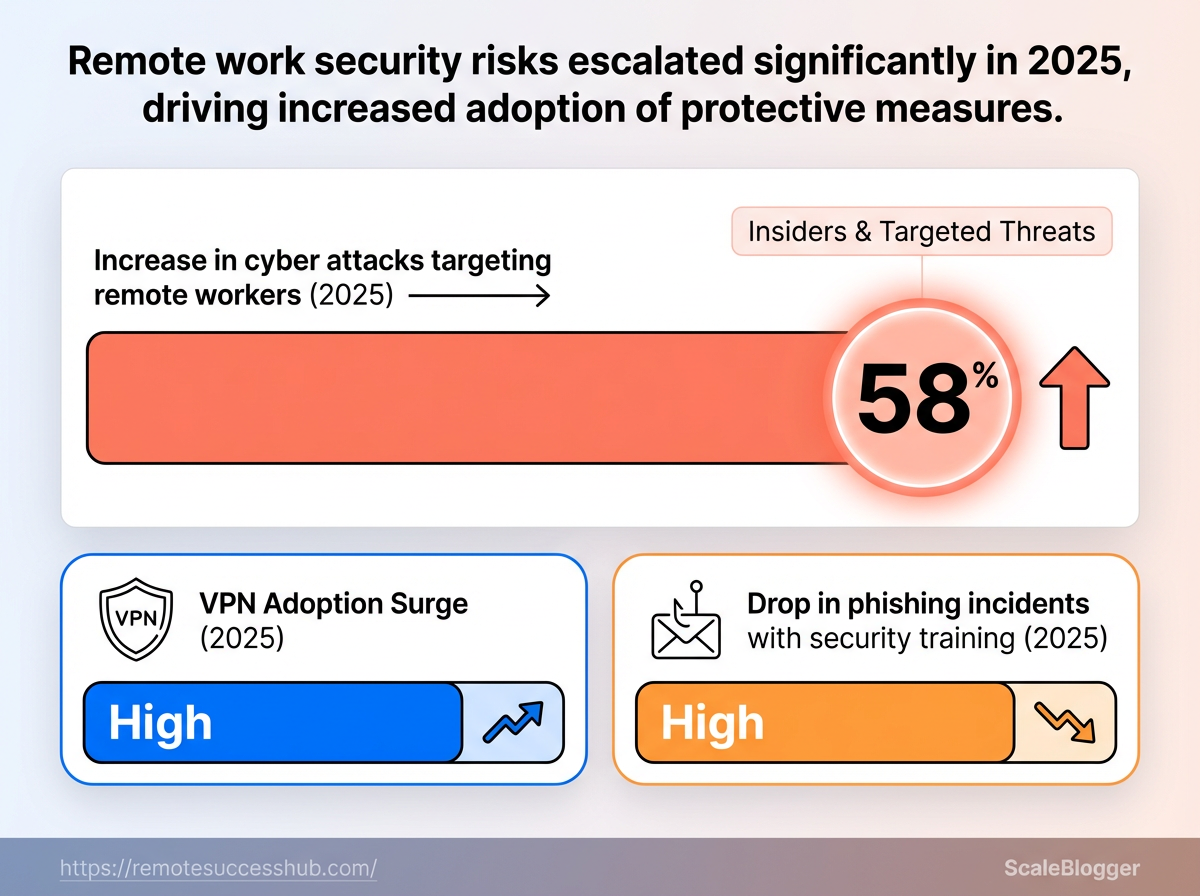
The graphic shows breach rates and the share of attacks targeting remote workers, visualizing the risk numbers that make security a core career skill.
It’s meant to create a quick, visceral sense of why these habits matter. Endpoint security: Protection for individual devices, often using platforms like CrowdStrike Falcon or Microsoft Defender for Endpoint to detect and block malware. VPN: Encrypted access method; VPN adoption rose by 40% in 2025 as teams sought safer access to company networks. Security training: Focused education for employees; organizations that provided training reported a 70% reduction in phishing attacks in 2025.
Take ownership of these basics and you’ll protect your data and your career.
Employers notice people who reduce risk, and that attention follows into promotions and long-term stability.
Core security principles every remote professional must master
How do you treat security when your office is a coffee shop, a shared apartment, or the spare bedroom? Treating remote work like a distributed extension of corporate IT changes priorities: controls must travel with the person, not just live inside the company network.
Master three foundational concepts first: apply the Confidentiality–Integrity–Availability (CIA) model to every device and connection, enforce least privilege and secure defaults, and keep home and work devices patched and monitored.
Recent findings showed an 82% rise in attacks targeting remote workers in 2025, a 40% jump in VPN adoption that same year, and organizations reporting a 70% reduction in phishing incidents after focused training (2025).
Those shifts make these principles practical, not theoretical.
Put another way: secure the endpoint, control access, and assume things will fail.
Use endpoint protection like CrowdStrike Falcon where permitted, and DNS/network controls such as Cisco Umbrella for safer browsing.
Those tools matter, but the policies and habits you follow matter more.
Applying the CIA triad to remote setups
Confidentiality: Keep sensitive data private through strong encryption, MFA, and compartmentalized accounts. Integrity: Ensure data hasn’t been altered by using checksums, secure update channels, and versioned backups. Availability: Maintain access with redundant connections, offline copies, and tested backup restores.
Start by classifying the data you touch at home.
Label files and services as personal, internal, or sensitive, then apply controls accordingly.
For example, treat an unpatched laptop differently than a company-managed device: restrict cloud sync, disable automatic password saving, and move sensitive work to company devices only.
Least privilege, secure defaults, and regular patching for home devices
Audit accounts: Remove admin rights from daily-use accounts and keep one locked-away admin account for updates only.
Harden defaults: Disable unused services (
RDP,SMB) and enable built-in firewalls.Automate patching: Use OS and application auto-update, and patch routers and IoT firmware monthly.
Use segmented networks: Put work devices on a guest VLAN or separate Wi‑Fi SSID when possible.
Monitor endpoints: Run reputable endpoint protection and regularly review alerts.
Train and rehearse: Run a short phishing test and a backup-restore drill every quarter.
Practical checklist:
Strong passwords: Use a password manager and unique credentials.
MFAeverywhere: Prefer hardware tokens or authenticator apps.Limit backups: Keep an encrypted backup that’s offline periodically.
Network hygiene: Change default router passwords and update DNS filtering.
Mastering these principles makes protecting remote work data straightforward and repeatable.
Start with simple defaults, patch religiously, and let technology like endpoint protection and DNS controls fill the gaps.
Essential categories of tools for protecting remote teams
Remote teams need a toolbox, not a single silver bullet.
The right mix includes device-level defenses, secure access controls, and identity systems that stop attackers before they touch sensitive data.
Those three categories work together: endpoints hold and process data, access controls gate connections, and identity systems confirm who gets in.
Think of protections as layered armor.
Strong endpoint security reduces the chance a compromised laptop becomes a beachhead.
Secure remote access limits what a compromised device can reach. Identity and access management ensures credentials and sessions aren’t the weakest link.
Each category has different vendors, deployment trade-offs, and operational overhead.
Below are practical tool types, how they fit into a remote workflow, and concrete implementation tips.
Endpoint protection: antivirus, EDR, and device hardening
Endpoint defenses are the frontline for remote workers because every laptop and phone is an exposed surface.
Traditional antivirus still matters for known threats, but modern remote work demands EDR for behavior-based detection and quick containment.
Products like CrowdStrike Falcon and Microsoft Defender for Endpoint provide that layered capability and automate response when a device shows malicious behavior. Device hardening: enforce disk encryption, disable unused services, and lock down admin rights. Patch management: keep OS and applications on automatic updates or centrally managed schedules. Local containment: ensure EDR can isolate a device from the network when compromise is detected.
Practical example: deploy EDR with automated isolation policies and a weekly patch window to reduce dwell time on remote endpoints.
Secure remote access: VPNs vs. Zero Trust Network Access (ZTNA)
VPNs still provide encrypted tunnels and were a stopgap as remote work exploded.
Usage rose by 40% in 2025 as organizations scrambled to protect remote connections.
But ZTNA shifts from network trust to per-session, per-application access controls, reducing lateral movement risks.
The visual contrasts a VPN flow (broad network access after connection) with ZTNA (microsegmented, policy-driven app access).
It highlights control points where ZTNA enforces least-privilege and where VPNs leave broader exposure.
VPNs — Pros: easy to deploy; Cons: broad network access, higher lateral-risk.
ZTNA — Pros: granular app access, lower blast radius; Cons: needs identity integration and modern app routing.
Adopt ZTNA for cloud apps and use VPNs only for legacy systems while planning migration.
Identity and access management: SSO, MFA, and password hygiene
Identity controls are the final gate.
Implement SSO to centralize authentication and reduce password sprawl.
Require MFA everywhere feasible to block credential-stuffing and stolen-password attacks.
Training pays off: organizations that trained remote employees saw a 70% drop in phishing attacks (2025). SSO: streamline logins and enable centralized session logging. MFA: enforce hardware keys or phishing-resistant methods where possible. Password hygiene: mandate a password manager, rotate shared secrets, and remove dormant accounts.
Start with SSO + MFA for core SaaS, roll out a password manager, and back that with quarterly phishing simulations.
Protect endpoints, secure access with modern ZTNA patterns, and lock identity under strong MFA.
That combination keeps remote teams both productive and resilient.
Tool comparison: choosing the best security tools for remote teams
Which tool actually reduces risk when everyone works from couches, co-working spaces, and airports? Pick the wrong mix and you pay twice: once for the product, and again when an incident consumes time and trust.
The right choice balances coverage, deployment effort, and a realistic price that your team will actually use.
The short answer: prioritize tools that protect endpoints, enforce identity, and secure access, then consolidate where possible to lower admin overhead.
CrowdStrike, SentinelOne, and Sophos lead at endpoints for detection and response; Okta, Azure AD, and JumpCloud cover identity and SSO; Perimeter 81 and Twingate provide modern VPN/ZTNA; 1Password and Bitwarden solve credential management.
Remember that organizations reported an 82% rise in attacks targeting remote workers in 2025, and VPN adoption rose 40% that same year — those trends push toward solutions that scale without adding friction.
Cost matters, but so does time-to-value.
A cheaper tool that sits unused is more expensive than a slightly pricier one the team adopts.
Focus first on blocking high-impact risks, then fill gaps as budget allows.
Side-by-side comparison of top tools across categories
Tool Name | Category | Key Features | Best for (user size/role) | Pricing Tier | Ease of Deployment | Integration Notes |
|---|---|---|---|---|---|---|
CrowdStrike Falcon | EDR | Cloud-native EDR, behavioral ML, threat hunting | Mid to large orgs, security teams | Enterprise / per-endpoint licensing | Low–Moderate | Strong SIEM & MDM integrations |
SentinelOne | EDR | Autonomous response, rollback, AI detection | SMB to large, SOC teams | Enterprise / per-endpoint | Moderate | API-friendly, SOAR connectors |
Sophos Intercept X | EDR | Anti-ransomware, exploit prevention | SMBs and distributed teams | Mid-market / bundle options | Low | Integrates with Sophos Central |
Okta | IAM / SSO | Adaptive MFA, lifecycle management | Mid to large, identity-first orgs | Enterprise / per-user | Moderate | Wide app catalog, SCIM support |
Azure Active Directory | IAM / SSO | Conditional Access, identity protection | Microsoft-centric orgs | Tiered (Free → P2) | Low–Moderate | Native MS 365 and Azure integration |
JumpCloud | IAM / SSO | Directory-as-a-Service, device management | SMBs, IT generalists | Mid-market / per-user | Low | Cross-platform device control |
Perimeter 81 | VPN / ZTNA | Cloud VPN, segmentation, SASE features | Remote-first SMEs | Mid-market / per-user | Low | Integrates with IdPs, cloud providers |
Twingate | VPN / ZTNA | Zero Trust access, lightweight client | Startups to mid-market | Mid-market / per-user | Very Low | Fast to integrate with identity providers |
1Password Business | Password Manager | Team vaults, secure sharing, SCIM | Teams of all sizes | Mid-market / per-user | Very Low | Okta / Azure AD SCIM & SSO |
Bitwarden Teams/Enterprise | Password Manager | Open-source core, self-host option | Cost-sensitive teams | Low → Mid-market | Low | API & SSO support; self-hostable |
The table shows which tools scale for different team sizes and how much effort each needs to start protecting remote workers.
Choose fewer integrated vendors to reduce management overhead, especially if IT headcount is limited.
How to weigh features vs. cost when budgets are tight
Start by mapping risk: list your top three threats and the asset impact.
Deploy tools that directly reduce those risks first.
Prioritize impact over feature count: Choose tools that stop your top risks, not those with long feature lists.
A focused EDR plus SSO covers many scenarios.
Measure total cost of ownership: Add subscription fees, deployment hours, and ongoing admin time.
Multiply that by likelihood of an incident to compare against risk.
Favor consolidation: Prefer vendors that cover multiple needs (IAM + ZTNA, or EDR + MDR) when costs are similar.
Consolidation cuts training and alert fatigue.
Pilot before buying: Run a short pilot with a representative team.
If detection or access flows break work, adoption will fail and ROI evaporates.
Training multiplies tooling value.
Companies that provided remote security training saw a 70% reduction in phishing attacks, so budget some of your spend for awareness and simulated phishing.
Pick tools the team will actually use, not the ones that look best on a checklist.
A simpler, well-adopted stack protects more effectively than a sprawling, underused one.
📥 Download: Download Template (PDF)
Implementation playbook: deploying security tools without disrupting productivity
Want to roll out new security controls without turning every afternoon into a support triage? Remote teams are especially sensitive to interruptions, and a heavy-handed deployment can erode trust faster than it improves security.
Planning a phased, communicative rollout protects productivity while improving protection for devices and data.
A clear timeline, named owners, and small pilots let you catch technical and human friction early.
Start small, measure impact, then scale.
A phased rollout checklist for remote teams
Phase | Objective | Key Tasks | Owner/Role | Estimated Timeframe |
|---|---|---|---|---|
Phase 0: Assessment | Decide scope and risk priorities | Inventory devices and apps; map sensitive data flows; baseline current security posture; identify high-risk users and geographies | Security lead / IT manager | 1–2 weeks |
Phase 1: Pilot | Validate tools and user workflows | Select representative pilot group (5–10%); deploy endpoint agents to pilot devices; configure VPN access rules; test single sign-on; collect performance and usability metrics | IT operations / Project manager | 2–4 weeks |
Phase 2: Organization-wide Deployment | Standardize configurations and expand coverage | Staggered rollout by team; enforce device health checks; deploy MDM and endpoint protection broadly (e.g., endpoint agent on all devices); apply access policies; run targeted user training sessions | IT operations / Team leads | 4–8 weeks (phased) |
Phase 3: Monitoring and Optimization | Keep improvements sustainable | Configure centralized logging and alerts; tune detections to reduce false positives; establish monthly review cadence; gather user feedback and update policies | Security analyst / IT manager | Ongoing (weekly checks, monthly reviews) |
This table turns vague intentions into executable steps.
It forces named ownership and realistic timeboxes so deployments don’t become “IT projects that never end.” Treat the pilot as the most important step — it’s where you prevent broad disruptions.
Minimizing friction: policies, training, and support channels
Clear, simple policies reduce confusion for remote staff.
Keep written policies short, role-specific, and linked from a single team hub.
Training matters more than controls alone.
Organizations that ran targeted cybersecurity training for remote employees reported a 70% reduction in phishing attacks (2025), so training must be part of every rollout.
Policy-first approach: Publish one-page rules for device usage and access; make infractions process-oriented, not punitive.
Micro-training sessions: Deliver 10–15 minute interactive modules for each new tool; schedule them during team meetings.
Just-in-time documentation: Provide short how-to videos and
FAQsnippets for common issues.Dedicated support channel: Create a Slack/MS Teams channel for rollout issues and escalate patterns to IT daily.
Fallback plan: Keep a quick rollback path and allow exceptions with risk-logged approvals.
Practical examples and quick wins
Deploy system monitoring in the pilot using a lightweight agent and measure CPU/network impact before scaling.
For endpoints, a phased introduction of a proven platform such as CrowdStrike Falcon on pilot devices reveals compatibility issues early.
Enable VPN access for high-risk teams first, since VPN adoption surged 40% in 2025.
That targeted approach contains risk while minimizing mass-change fatigue.
Rolling out security doesn’t have to slow people down.
With phased steps, clear owners, and focused support, teams stay productive while protecting remote work data.
Platforms like https://remotesuccesshub.com/ can help with rollout templates and training resources if a central hub would be useful.
Operational practices and habits that reinforce tools
Ever notice how the best security tools sit unused when people feel they slow them down? Sustainable security comes from tiny, repeatable habits that make protections invisible rather than intrusive.
Daily and weekly rituals turn controls into muscle memory.
When remote workers follow short, predictable routines—locking screens, checking VPN status, confirming backups—those technical controls actually reduce risk instead of becoming shelfware.
Recent industry signals reinforce this: 82% of organizations reported an increase in cyber attacks targeting remote workers in 2025, while VPN adoption jumped 40% that year, showing how behavior drives technology impact.
Endpoint protection and identity controls only work when people interact with them correctly.
Tools like CrowdStrike Falcon, Microsoft Defender for Endpoint, Cisco Umbrella, or Palo Alto Networks Prisma are powerful, but they rely on consistent user habits: prompt patching, sensible alert triage, and immediate reporting when something looks off.
These operational practices are the everyday glue between tools and real-world security for protecting remote work data.
Daily habits for secure remote work
Start each workday with a short checklist that takes less than a minute.
Lock screens: Lock the device whenever stepping away for more than a minute.
Verify VPN status: Confirm
connectedbefore accessing company resources.Patch prompt checks: Approve or schedule OS and app updates if prompted.
MFA glance: Ensure second-factor prompts are expected before approving.
Minimal sharing: Avoid screen sharing or file transfers in public networks.
Weekly routines that prevent drift
A single weekly habit prevents a thousand small risks.
Patch window: Run pending updates and reboot devices on a fixed weekday.
Credential hygiene: Rotate high-risk service passwords or verify password manager health.
Alert review: Spend 15 minutes with security alerts from endpoint or access logs.
Backup validation: Test one restore from backups to confirm integrity.
Training bite: Complete a short 5–10 minute security microlearning module.
Incident reporting and who to contact — a simple workflow
Clear roles and a short chain of steps cut confusion during an incident. Incident reporter: Anyone who notices suspicious activity should report it immediately. Primary contact: Security operations (SOC) or designated security Slack channel. Escalation contact: IT lead or on-call security engineer for urgent issues.
Capture basic facts: device, time, observed behavior, and screenshots if safe.
Disconnect from corporate network (if device compromised) and keep device powered.
File an incident ticket and ping the security channel with the ticket ID.
Follow security team’s remediation steps and preserve evidence until told otherwise.
Confirm closure and any required follow-up (password resets, reimaging).
Watch the short walkthrough for a practical incident-reporting demo and common remediation actions.
It shows what to capture and the exact messages to send to make triage fast.
Operational habits are the multiplier for any security investment.
Practice the short daily and weekly routines above and reporting becomes second nature, not an afterthought.
Measuring success: KPIs and signals that security investments are working
How do you know your security spend is actually protecting remote workers and not just buying noise? The right signals are a mix of technical metrics and human-centered indicators that together show whether defenses stop attacks and whether people follow safe behaviors.
Start by tracking measurable outcomes, not checkbox completion.
Technical KPIs like detection and response times show whether your tooling catches threats.
Adoption metrics — patch compliance and MFA enrollment — show whether controls reach the endpoint.
Operational exercises and audits reveal gaps that metrics can miss.
What follows are the concrete KPIs to watch, how to measure them, and simple ways to validate readiness so security investments actually lower risk.
Which KPIs matter
Mean time to detect (MTTD): Average time between when an incident begins and when it’s first detected. Mean time to respond (MTTR): Average time to contain and remediate an incident after detection. Patch compliance rate: Percentage of managed devices current with critical and high-priority patches. MFA adoption rate: Share of users with multi-factor authentication enforced on corporate accounts. Phishing success rate: Percentage of phishing tests that result in credential exposure or clicks.
Each definition above should be monitored continuously and segmented by team, OS, and location to reveal weak pockets.
Visibility: Track MTTD and MTTR from endpoint and network telemetry to know if tools like CrowdStrike Falcon or Microsoft Defender for Endpoint are surfacing attacks.
Hygiene: Monitor patch compliance and VPN usage spikes (VPN adoption rose 40% in 2025) to ensure secure access.
Behavior: Measure MFA adoption and phishing simulations — cybersecurity training programs have shown large drops in successful phishing, with one dataset reporting a 70% reduction.
How to measure them in practice
Instrument detection platforms and aggregate alerts into a central SIEM or dashboard so MTTD/MTTR are measurable per incident type.
Use device management (MDM) reports for patch compliance and identity provider logs for MFA adoption and conditional access enforcement.
Run monthly phishing campaigns and quarterly phishing trend reports to quantify human risk.
Using audits and tabletop exercises to validate readiness
Automated metrics are necessary but not sufficient.
Regular audits and tabletop exercises force the team to act under simulated pressure and reveal process gaps that numbers hide.
Tabletop scenarios: Run at least two annually, covering ransomware and credential compromise, and record decision times and communication failures.
Technical audits: Quarterly configuration audits for VPNs, firewalls, and cloud security posture (Palo Alto Prisma and Cisco Umbrella settings are good audit targets).
Post-mortem drills: After each exercise, update runbooks and measure how changes affect MTTD/MTTR.
Signals that investments are working
Decreasing MTTD/MTTR month-over-month.
Rising patch compliance and MFA rates across all teams.
Fewer successful phishing results after training cycles.
Faster, more confident decisions during tabletop exercises.
Measure frequently, present a simple dashboard to stakeholders, and iterate on gaps revealed by exercises.
Keep the focus on outcomes: less exposure, faster remediation, and measurable behavior change.
Skill-building: tools, certifications, and community resources to boost your remote career
Want to turn security know-how into a clear advantage while working remotely? With 82% of organizations reporting an increase in cyber attacks targeting remote workers in 2025, building demonstrable skills is no longer optional.
Practical, hands-on experience plus community backing will accelerate hiring and promotion decisions.
Start by combining free labs and vendor sandboxes with a targeted certification plan and visible project work.
Pair that with mentoring and active community engagement so learning translates into credibility employers recognize.
Practical learning paths: free labs and structured practice
Free labs let theory survive contact with reality.
Choose platforms that simulate real attacker techniques and defensive responses.
Try hands-on platforms: TryHackMe, Hack The Box, or similar labs for practical red-team and blue-team exercises.
Use cloud sandboxes: Spin up
Azure,AWS, orGCPfree tiers to practice secure architecture and incident response scenarios.Build reproducible projects: Create a lab with
EDRandSIEMintegrations, document the setup, and publish playbooks or runbooks on GitHub.Leverage capture-the-flag events: They hone problem-solving and give portfolio-worthy results.
What matters is measurable, repeatable work you can link to in interviews.
Vendor sandboxes and product-focused practice
Vendor sandboxes teach platform-specific controls that hiring managers value for remote security roles.
Focus on widely deployed solutions.
Cisco Umbrella sandbox: Practice DNS-layer policies and content filtering scenarios.
Palo Alto Networks Prisma trials: Explore cloud security posture management and app controls.
CrowdStrike Falcon test environments: Run endpoint detection scenarios and analyze telemetry.
Microsoft Defender for Endpoint demo labs: Configure alerting, automated response, and device onboarding.
Hands-on time with these products shortens onboarding and proves you can protect distributed endpoints.
Certifications that move the needle
Certifications show commitment and help frame technical conversations.
Pick one primary cert and one practical lab-based credential.
CompTIA Security+: Broad baseline for early-career roles.
GIAC GSEC or GCIH: Practical, hands-on validation for defenders and incident handlers.
Certified Ethical Hacker (CEH): Familiar for red-team skill recognition.
Vendor certs: Microsoft, Cisco, Palo Alto or CrowdStrike associate-level badges for platform expertise.
Combine certificates with project links to avoid credentials that float without proof.
Community and mentoring for remote cybersecurity pros
Learning alone stalls fast.
Mentors and communities accelerate problem-solving and signal seriousness to employers.
Join peer forums: Stack Exchange Information Security, Reddit cybersecurity communities, and focused Discord servers for quick feedback.
Find mentorship: Volunteer to contribute to open-source security tools, or join structured programs and meetups to be matched with experienced practitioners.
Network in niche groups: Participate in vendor user groups and platform-specific channels to learn real-world configurations.
Use remote-focused platforms: Explore platforms like platforms like https://remotesuccesshub.com/ for role-focused resources and peer connections.
Active engagement multiplies the value of labs and certifications and helps translate skills into remote-first roles.
Practical, demonstrable work beats certificates alone.
Combine hands-on labs, vendor practice, and community mentorship to make security skills hiring-ready for remote careers.
Conclusion
Treat security like a daily skill
Human choices remain the single biggest vulnerability: one wrong click still has the power to expose an entire network.
The most valuable insight to carry forward is that cybersecurity for remote work succeeds when tools, habits, and measurement work together — not when any one piece is expected to do everything.
Think of security as a practiced routine that you refine with the same attention you give to a professional skill.
Practical action beats theory today: run the quick checks from the implementation playbook, verify backups, and review who has access to critical systems while you schedule ongoing KPI checks for protecting remote work data.
For an immediate win, enable multi-factor authentication on all work accounts today. If helpful, platforms like RemoteSuccessHub collect checklists and community tips on selecting the best security tools for remote teams.
Which single security habit will you lock in this week?