
A remote team can look busy all day and still lose work in the cracks.
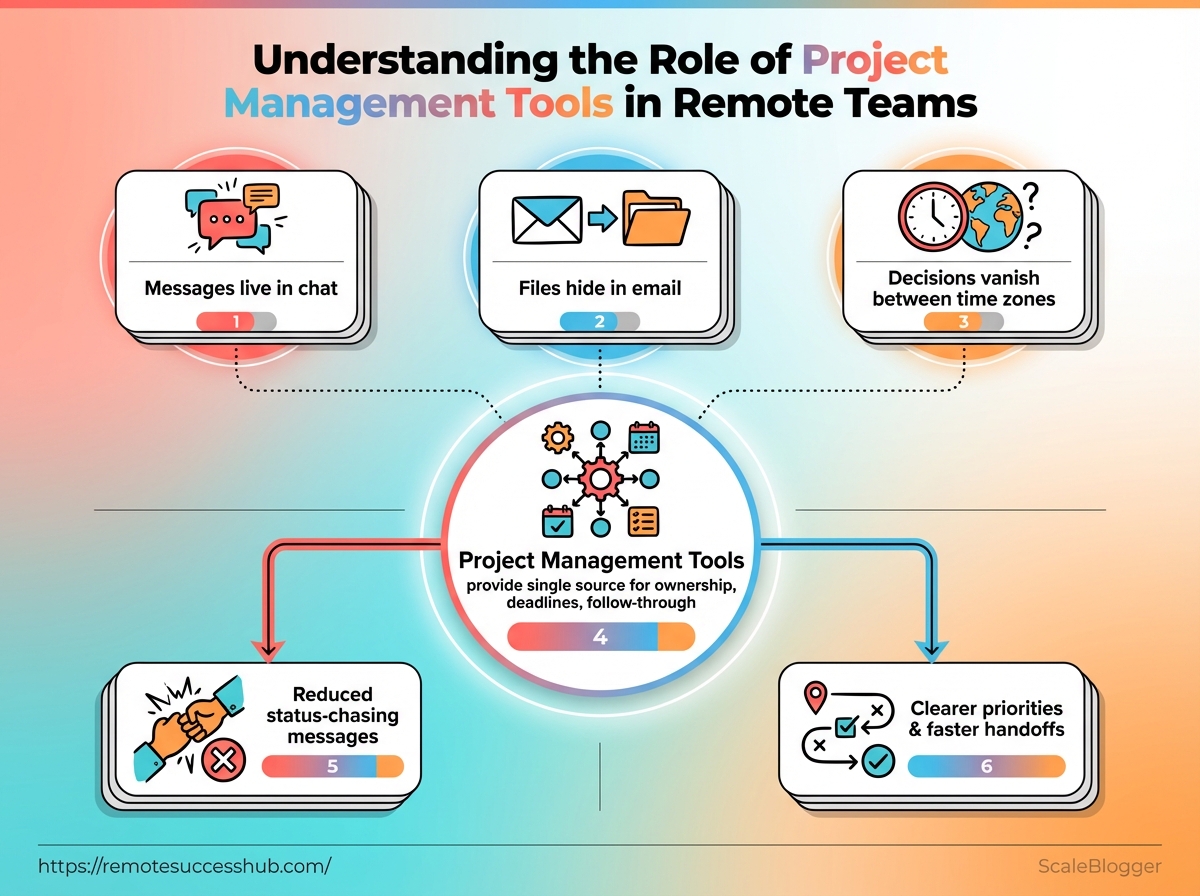
Messages live in chat, files hide in email, and decisions vanish between time zones.
That is where project management tools stop being “nice to have” and start acting like the team’s shared memory.
They give remote team management a single place for ownership, deadlines, and follow-through, which matters when nobody can lean over a desk and ask, “Who has this?”
The need is real.
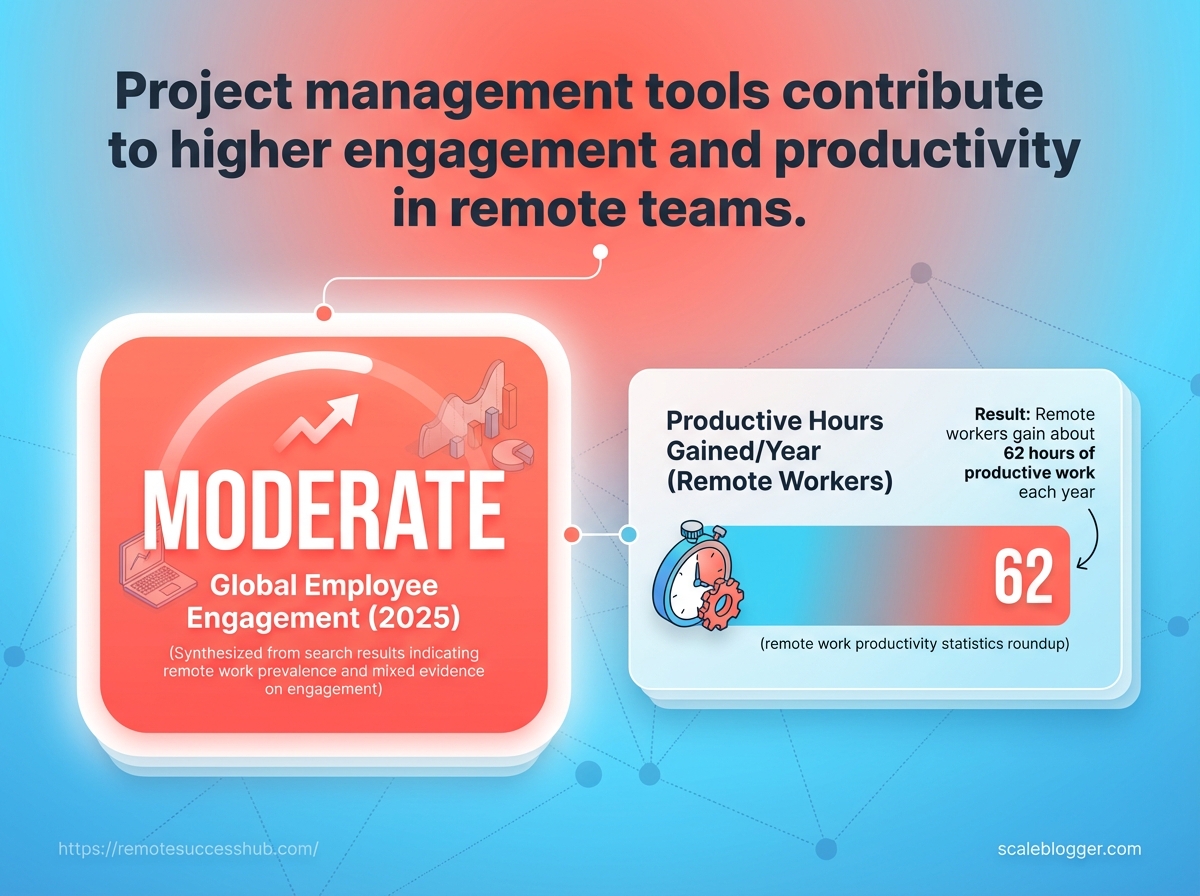
Gallup’s 2026 State of the Global Workplace reported that only 20% of employees worldwide were engaged in 2025, a costly reminder that coordination problems drain energy fast.
Good tools do more than track tasks.
Their tool benefits show up in fewer status-chasing messages, clearer priorities, and faster handoffs across teams that rarely meet face to face.
Remote work already removes a lot of on-site noise; WorkTime’s 2026 remote work data says that can mean about 62 extra productive hours a year, and structure helps protect that gain.
Quick Answer: Project management tools keep remote teams organized by creating a single shared source of truth where tasks, owners, due dates, and status updates stay attached to the work instead of being scattered across chat and email. This reduces lost or duplicated work, surfaces blockers early, and enables async progress without waiting for meetings or immediate replies. Gallup’s 2025 finding that only 20% of employees worldwide were engaged underscores how essential better coordination is for remote performance.
What if remote work felt organized instead of fragmented?
Remote work often isn’t failing because people aren’t trying—it’s failing because the work isn’t structured in a way everyone can follow.
When tasks, deadlines, and decisions live across chat threads, inboxes, and personal spreadsheets, progress becomes guesswork—especially across time zones. Project management tools fix that by turning scattered updates into a shared workflow people can reference anytime.
Here’s what “organized” looks like in practice:
- One source of truth: Everyone sees the same task list, owner, and due date.
- Status updates stay attached to the work: Progress is documented where the task lives, not buried in messages.
- Async work moves forward: People can make progress without waiting for the next meeting or immediate reply.
- Blockers show up early: Delays become visible before they spill into missed deadlines.
- Focus gets protected: Fewer “quick updates” means fewer interruptions to deep work.
Good tools also reduce the quieter, longer-term damage that fragmentation causes: duplicated effort, unclear priorities, and handoffs that depend on who remembers to message whom.
In the end, remote teams don’t need more meetings—they need a clearer rhythm. When that system is solid, people stop wondering where things stand and start finishing work faster.
How project management tools support remote team management
Project management tools matter most when remote teams need clarity without constant follow-ups. When work is stored in one shared system, managers spend less time chasing updates and more time understanding what’s actually happening.
Centralizing tasks, deadlines, and ownership gives everyone the same reference point. That’s important in remote team management because small misunderstandings—who owns what, what “done” means, what’s blocking progress—compound quickly when teams can’t rely on proximity.
These tools also reduce the need for constant check-ins. With a shared board, clear status fields, and visible due dates, managers can review progress on their own timeline—without pulling people out of deep work.
The benefits typically show up in a few concrete ways:
- One owner, one deadline: Every task has a responsible person and a finish line.
- Cleaner handoffs: Notes, files, and decisions stay attached to the work instead of hiding across inboxes and chats.
- Less status noise: Updates become viewable rather than requested, so fewer interruptions are needed.
- Earlier blocker detection: Comments, tags, and dependency cues make delays visible before they become delivery failures.
That balance is the real outcome remote teams should aim for: steadier coordination, fewer interruptions, and more trust in the work itself.
Instead of asking, “Did anything change?”, teams can trust the system to show what’s changed, what’s next, and who’s responsible.
A remote worker who spends less time chasing updates usually looks more dependable, even when the workload stays the same.
That’s the practical test of project management tools: not whether they feel busy, but whether they reduce friction and make progress easy to verify.
The best remote team management setups do three things well.
They cut message churn, surface useful status information, and remove repeat work that eats into focus.
That matters more than it sounds.
So the tools worth paying attention to are the ones that protect attention and make your work easier to trust.
Reporting, automation, and time-saving capabilities
| Feature | Remote Work Benefit | Best For | Career Impact |
|---|---|---|---|
| Task assignments | Clarifies ownership without extra back-and-forth | Daily execution and handoffs | Shows you can manage priorities cleanly |
| Comment threads | Keeps discussion attached to the work | Decisions, edits, and quick clarifications | Makes your communication easier to follow |
| Automation | Moves repetitive steps out of your day | Recurring tasks and status changes | Frees time for higher-value work |
| Dashboard reporting | Gives a fast view of progress and blockers | Weekly check-ins and manager updates | Builds trust through visible consistency |
| File sharing | Keeps the latest version in one place | Creative work, approvals, and reference docs | Reduces mistakes caused by outdated files |
| Calendar integration | Connects deadlines to real schedules | Planning across time zones | Helps you stay on time without reminders |
SurveyMonkey’s 2026 remote and hybrid work trends found that collaboration needs and improved focus were both cited by 32% of workers—exactly where good tooling earns its keep.
A clean dashboard or automated status update also sends a subtle signal: you’re organized, consistent, and ready for more responsibility.
That is the real career value.
The best tool benefits don’t just save minutes; they make your work easier to trust.
How to choose the right project management tool for a remote team
Choosing a project management tool isn’t about picking the most popular platform—it’s about choosing the best fit for how your team plans, collaborates, and communicates.
The wrong tool doesn’t usually announce itself. It shows up later as friction: updates take longer, handoffs get fuzzier, and deadlines feel noisier than they should.
Start with fit, then narrow down features.
Match the tool to the team, not the trend
Size and workflow complexity matter, but so does communication style.
- Small teams: Choose speed and simplicity. Too many fields and layers can slow everyone down.
- Growing teams: Look for dependency tracking, repeatable templates, and easy ownership changes.
- Async-heavy teams: Prioritize comments, mentions, and status history over meeting-dependent workflows.
- Meeting-heavy teams: Make sure the tool supports reminders, calendar links, and quick follow-ups without turning the system into extra admin work.
Prioritize the features that reduce friction
When evaluating tools, focus on features that prevent manual chasing:
- Clear ownership: Every task should have one responsible person.
- Workflow visibility: People should see blockers without having to ask repeatedly.
- Lightweight automation: Repeating setup or routing work shouldn’t consume someone’s day.
- Searchable history: Remote teams need context for decisions later—not just progress today.
Avoid the mistakes that kill adoption
Adoption problems are rarely “feature gaps.” They’re usually rollout and behavior issues.
- Skipping team input: If daily users don’t help shape the choice, resistance is predictable.
- Adding too many rules: Over-process is heavier than a missing feature.
- Ignoring how your team actually works: A tool that fights your team’s rhythm will not last.
Pick for the way your work moves today—not for a fantasy version of the team.
When the tool matches your workflow, remote team management feels lighter, cleaner, and far less like bookkeeping.
What if your project board could do more than keep tasks tidy? In remote work, it can become proof of how you think, communicate, and deliver.
That matters because visibility is still a career advantage in remote settings—especially when managers can’t see your work in real time.
Managers rarely reward loudness for long.
They notice the person who makes work easy to track, easy to trust, and easy to finish.
Make progress visible without chasing attention
A good habit is to write updates the way a manager wants to read them.
Put the current status, the blocker, and the next step in the task itself, not buried in chat.
That turns project management tools into a clean record of momentum.
Use them to surface decisions, too.
If you resolved a scope issue, log the choice and the reason.
Later, that record shows judgment, not just activity.
- Update before you are asked: Post progress at a predictable point each week.
- Name blockers clearly: State what is stuck and what help is needed.
- Close the loop: Mark completed work with the result, not just “done.”
- Tag with purpose: Bring in managers only when a decision or approval is needed.
Build a reputation for clarity and ownership
Clarity is a career advantage because it reduces friction.
When your tasks have clean descriptions, dates, and notes, people start trusting your work before it lands.
That trust compounds fast in remote teams.
Ownership shows up in the small things.
If a handoff is late, update the timeline yourself.
If a deliverable changes, explain the impact inside the task instead of hoping someone notices.
A simple example helps.
A remote marketer who logs a campaign delay, adds the revised launch date, and notes the risk to design work looks far more dependable than someone who disappears until the deadline.
Use the tool as a personal proof trail
Treat the board like a running portfolio of your reliability.
Over time, it gives you concrete material for reviews, promotion talks, and weekly check-ins.
A few habits make that easier:
- Keep a wins column: Track outcomes you can point to later.
- Record decisions: Capture why a path was chosen.
- Show dependencies: Make it obvious how your work affects others.
- Note finished work: Add the result and any follow-up.
That is where the real value sits.
The tool isn’t just organizing tasks; it’s making your judgment visible in a way managers can trust.
Make the Workflow Visible, Not Just Busy
Remote work gets messy when progress lives in too many places at once.
The real value of project management tools is not the software itself, but the way it turns scattered tasks, decisions, and deadlines into something everyone can actually see.
That is what keeps remote team management from drifting into guesswork.
The strongest tool benefits show up in the small moments: fewer “Did anyone handle this?” messages, clearer ownership, and less time spent chasing updates across chat threads.
When a team chooses a tool that fits its habits instead of fighting them, work starts moving with less friction and far fewer surprises.
Pick one active project today and map it into a tool before the day ends. Give every task one owner, one deadline, and one next step, then check where the gaps still appear.
If you want more practical help shaping that system, our resources focus on the kind of remote work habits that actually stick.