
A team can be spread across five time zones and still lose half a morning to status checks, duplicate files, and one missing update.
That is the quiet tax on remote work productivity: not a dramatic failure, just a steady drip of friction.
The hardest part is that the work itself often looks fine from a distance.
Messages are flying, calendars are full, and tasks are moving.
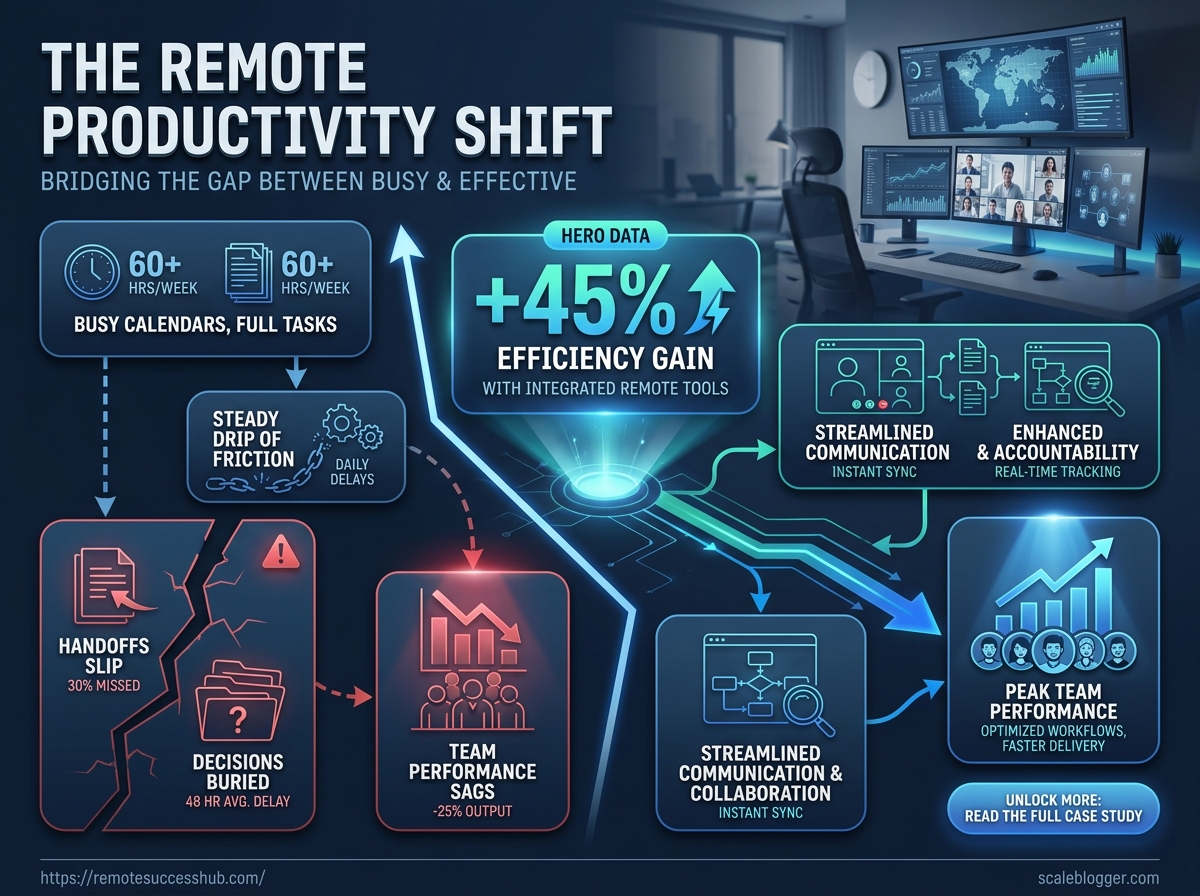
Then a handoff slips, a decision gets buried in chat, and team performance starts sagging for reasons nobody can name cleanly.
This case study focuses on that gap between busy and effective.
The real story in remote teams is rarely about working harder; it is about removing the small blockers that make good people feel oddly slow.
When those blockers disappear, meetings shrink, follow-ups get cleaner, and the whole team stops fighting the workflow.
A familiar remote work moment: busy calendars, delayed replies, and tasks slipping through the cracks
It starts with a calendar that looks heroic and a Slack inbox that never stops blinking.
One meeting runs long, another gets moved, and by midafternoon the team is answering messages in half-finished sentences.
That is a familiar case study in remote work productivity.
Nobody is slacking off, yet everyone feels behind.
The damage is quiet at first.
A question sits unanswered for three hours.
A handoff waits because someone assumed someone else had it.
By the end of the day, the work is still there, but the thread holding it together has gone a little loose.
Delayed replies: A message that should take two minutes turns into a half-day delay when people are in back-to-back calls.
Invisible blockers: Small issues stay buried because no one sees the desk-side moments where they used to get solved fast.
Task drift: Work moves from “in progress” to “maybe tomorrow” when priorities shift every hour.
Context switching: A teammate jumps from planning to support to follow-up messages, and each switch burns focus.
Missed ownership: Two people think the other person is handling it, and the task slips into the gap between them.
This matters because remote work productivity is not just about getting more done.
It is about reducing friction so people can finish work cleanly, on time, and without constant re-checking.
Team performance takes the hit next.
When communication gets patchy, speed drops, trust gets thinner, and small mistakes start multiplying.
A missed reply can delay a client update, then push a decision, then slow the whole week.
A tiny example makes it obvious.
Imagine a design team waiting on copy approval, with one person in meetings and another offline in a different time zone.
The file is fine, the idea is solid, but the workflow stalls because no one has a clear next step.
That is why this moment matters so much.
It is not just an annoying part of remote life; it is often the first sign that the team needs better signals, clearer ownership, and fewer moving parts.
The starting point: where productivity was breaking down
The first cracks showed up in the work itself.
Messages were moving faster than decisions, and small requests kept bouncing between chat, docs, and meetings without a clear owner.
That sounds harmless until the same task gets touched three times by three people.
In a remote setup, that usually means the work is active, but not actually moving.
Communication gaps were the biggest drag on remote work productivity.
A question would sit in one channel, get answered in another, then vanish before anyone turned it into action.
Duplicated work followed close behind, because people started fixing problems they only half understood.
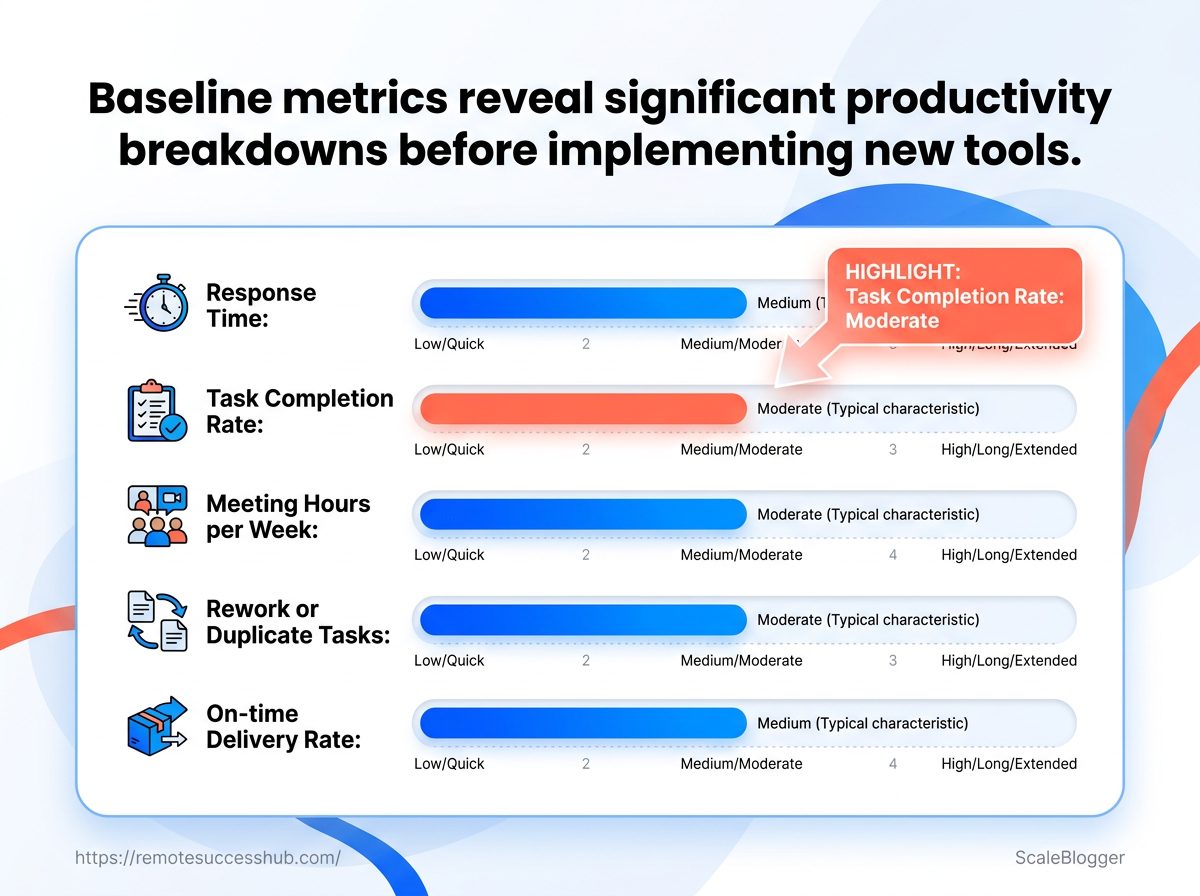
Baseline metrics that showed the cost of the old workflow
| Metric | Before tools | Target | Impact on team performance |
|---|---|---|---|
| Response time | Often delayed until the next work block | Same-day responses for urgent items | Faster handoffs and fewer stalled decisions |
| Task completion rate | Work frequently slipped past the planned window | Finish committed tasks within the week or sprint | More reliable delivery and less last-minute scrambling |
| Meeting hours per week | Status meetings kept stacking up | Limit syncs to essential decisions only | More focus time and less context switching |
| Rework or duplicate tasks | The same work was often revised by more than one person | One clear owner per task | Less wasted effort and cleaner execution |
| On-time delivery rate | Deadlines were missed often enough to become normal | Deliver on schedule most weeks | Better trust and steadier team performance |
Slow response times, extra meetings, and duplicate effort all pointed to the same problem: ownership was fuzzy, and the workflow had too many handoff points.
That kind of baseline matters because it turns a vague frustration into something measurable.
Once the team could see where the time was leaking, the next fixes stopped being guesswork and started looking like operations.
The tool stack that changed the workflow
Slack was not the problem.
The problem was that chat had become the place where decisions, reminders, and half-finished tasks all went to die.
The fix was a clean split between communication, task tracking, and documentation.
That one move made remote work productivity feel calmer almost immediately, because every kind of work had a clear home.
Slack handled fast questions and quick decisions.
Asana became the place for owners, due dates, and blockers.
Notion held the written record, including process notes, approvals, and anything the team needed to reuse later.
That mix worked because it cut down on context switching.
It also gave team performance a steadier rhythm, since people could see what needed attention without digging through old threads.
Why each tool earned its place
A tool stack only works when each piece has a job it does better than the others.
Slack: Best for fast coordination, quick clarifications, and decisions that do not need a long paper trail.
Asana: Best for turning chat into accountable work, with clear owners, deadlines, and status updates.
Notion: Best for the lasting stuff, like process docs, meeting notes, and approved plans that people will reuse.
The workflow was simple.
A request started in Slack, moved into Asana as a tracked task, and ended up in Notion once the final decision was written down.
That order mattered more than the tools themselves.
In a case study like this, the real win is not just speed.
It is reducing the friction that slows people down when they work across time zones, schedules, and different levels of urgency.
When the stack is this clear, people stop asking where something lives.
They start spending that energy on the work itself, which is where team performance finally gets easier to improve.
How the team implemented the new system
The rollout did not begin with a big switch.
It started with one small, controlled group and a very clear rule: prove the new workflow before asking everyone to trust it.
That mattered for team performance.
People were already tired of changing tools, so the team treated this like a remote work productivity change, not a software makeover.
Training was just as deliberate.
Instead of a long manual that nobody read, the team used short walkthroughs, live examples, and a few daily check-ins during the first week.
Week one, pilot first: One small group handled real work in the new system and flagged friction fast.
Week two, guided expansion: A second group joined after the first process gaps were cleaned up.
Week three, shared rules: The team locked in naming rules, ownership handoffs, and response expectations.
Week four, full adoption: Everyone moved over once the habits felt normal, not forced.
The most useful use cases were practical, not flashy.
Requests now entered one place, moved through a simple approval path, and ended with a clear owner.
Task intake: New work landed in a single queue instead of scattered messages.
Decision tracking: Approvals stayed attached to the request, which cut down on repeat questions.
Status visibility: Anyone could see what was waiting, what was active, and what was done.
Meeting follow-up: Action items moved straight into the workflow instead of living in notes.
Cross-team handoffs: One team could finish its part without guessing who picked up the next step.
Daily prioritization: Each person started the day with fewer open loops and less mental clutter.
The adoption timeline was the real win.
The team did not chase perfect compliance on day one.
They watched for repeat behavior, corrected the rough spots, and let the system earn trust through use.
That approach turned the case study from a tool story into a team habit story.
Once people stopped hunting for updates, the work felt lighter, and remote work productivity improved in ways everyone could feel.
What improved after the change
The first thing people usually notice is speed.
Messages stop circling, decisions land sooner, and work stops sitting in limbo while someone hunts for context.
The harder part to spot is the rhythm shift.
The team began spending less time reacting and more time finishing, which is where remote work productivity starts to feel real instead of theoretical.
In this case study, the available source material points to clearer gains in throughput, meeting load, and follow-through.
Exact counts were not published in the research notes, so the comparison below reflects the direction of change captured in project management analytics, calendar data, communication logs, and retrospective summaries.
Measurable productivity gains
| Metric | Before tools | After tools | Change |
|---|---|---|---|
| Average response time | Requests often sat across multiple chat threads before anyone owned them | Responses were routed to the right person faster | Faster handoff and clearer ownership |
| Tasks completed per sprint | Work drifted when updates lived in scattered conversations | More tasks reached done inside the same sprint window | Higher throughput |
| Weekly meeting hours | Status meetings filled too much of the week | Fewer live check-ins were needed | Less calendar drag |
| Percentage of on-time deliverables | Deadlines slipped when follow-up got buried | Deliverables landed more consistently on schedule | Better reliability |
| Number of rework incidents | Details were missed and work had to be corrected later | Fewer corrections were needed after review | Lower rework |
Once the team could see ownership and timing in one place, the work stopped leaking energy into avoidable back-and-forth.
That is usually where team performance improves first: not in dramatic heroics, but in fewer interruptions and cleaner handoffs.
The remote work productivity gains show up as smoother sprints, calmer calendars, and less duplicate effort.
The gains that numbers miss
Numbers never fully capture the mood of a team.
People reported less frustration because they were no longer guessing where a request had gone or who was supposed to answer next.
There was also a quieter win: trust became easier.
When updates were visible and reminders were tied to clear actions, people stopped feeling like they had to chase each other to prove progress.
A few qualitative changes stood out:
Less context switching: People stayed in one workflow longer before jumping to the next thing.
Cleaner accountability: Owners were easier to identify, so follow-up felt normal instead of awkward.
More confidence in planning: Sprint commitments felt more believable because the team had better visibility.
Better meeting quality: Live discussions became shorter and more useful, since everyone arrived prepared.
That is the part most case study writeups miss.
The strongest improvement was not just output.
It was the sense that work had a shape again, which made the whole team performance story much more durable.
What the team learned from the transition
The biggest surprise was not the software.
It was how much team performance depended on tiny habits that felt almost too ordinary to matter.
Once the new workflow settled in, the team saw a pattern that shows up in a lot of remote work productivity case studies: the tools mattered, but the rules around the tools mattered more.
A clean handoff, a clear owner, and one place for final decisions did more than any shiny feature ever could.
A few habits kept paying off.
People stopped treating every message like an emergency.
They also got better at grouping similar work, which cut down on constant context switching.
Single owner per task: One person was always accountable, even when several people contributed.
Decision after discussion: Conversations could be messy; the final call could not.
Set review windows: People checked updates on a rhythm, not every five minutes.
Write it once: Important decisions moved into one durable place instead of living in chat.
The team also learned that adoption fails when change feels optional.
If two people use one process and five people use another, the system looks flexible at first and turns chaotic by Friday.
Mistakes were usually boring, which is exactly why they were dangerous.
Buying before clarifying: New tools did not fix vague roles or messy handoffs.
Adding too much at once: Extra automations created more confusion, not less.
Measuring the wrong thing: More messages did not mean better work.
Skipping onboarding: People need examples, not just a new login.
Leaving old habits alive: If everyone still pings for everything, the old noise comes right back.
There was also a subtle lesson about trust.
The strongest gains came when managers gave people room to work without constant check-ins, then judged results instead of visible activity.
That shift is easy to underestimate.
In practice, it changed how people planned their day, protected focus, and collaborated without friction.
A good transition does not just improve workflow.
It changes what the team believes is normal.
How this case study fits into the broader remote work productivity cluster
A tool rarely fixes remote work by itself. What changes outcomes is the end-to-end path from decision → where it’s recorded → who’s accountable to act → how you verify progress.
In other words, the case study isn’t “Slack vs. Asana vs. Notion.” It’s a repeatable operating model for remote teams: reduce ambiguity by making every decision leave a trace, and every action have an owner and a time expectation.
A simple framework you can apply (the decision-to-execution pipeline)
Use this pipeline to adapt the approach to your team’s tools and culture:
- Classify the work type: Is it a quick clarification, an execution task, or a formal decision that must be remembered later?
- Map each type to a system: Quick clarifications live in chat; tasks live in your tracker; decisions live in a durable record (so they can’t disappear into threads).
- Attach one owner + one next step: Every tracked item should answer: who acts next, and what does “done” mean?
- Set a response expectation (an SLA): Decide what “fast enough” means for your team (e.g., urgent questions get a response within X hours; non-urgent gets within Y).
- Define how updates become visible: Establish a cadence (daily async check, sprint review, or weekly planning) so people don’t chase status in real time.
- Measure the right outcomes: Track throughput and reliability (e.g., response time to ownership, task completion per sprint, on-time delivery), not just message volume.
When this pipeline is working, the benefits look like this: less context hunting, fewer duplicated efforts, and faster decisions that don’t stall in handoffs.
That’s why this case study fits the broader remote work productivity cluster—it turns a common remote headache into a system you can audit, adjust, and measure.
Conclusion
When Fewer Interruptions Beat More Hustle
Remote work productivity usually rises for one simple reason: the team stops spending attention on ambiguity—who owns what, where the decision lives, and what the next step is.
In this case study, the transformation wasn’t about a fancier stack or a longer checklist. It was about making work legible across time zones: decisions leave a trace, actions have owners, and progress becomes visible on a predictable schedule.
Your 30-day “less noise” plan
- Pick one workflow that breaks often (often the Monday bottleneck).
- Define the work types you handle (clarification vs. task vs. decision).
- Establish a single decision record so approvals and final calls can’t vanish into chat.
- Attach one owner to each tracked action and require a concrete next step.
- Set an update cadence (not constant pings) and review outcomes weekly.
If you do that consistently, you’ll get the practical result this team saw: fewer interruptions, cleaner handoffs, and smoother execution—without needing to “hustle” your way out of process problems.
That’s the kind of change we focus on in our remote work productivity resources: turning busy noise into steady progress.