
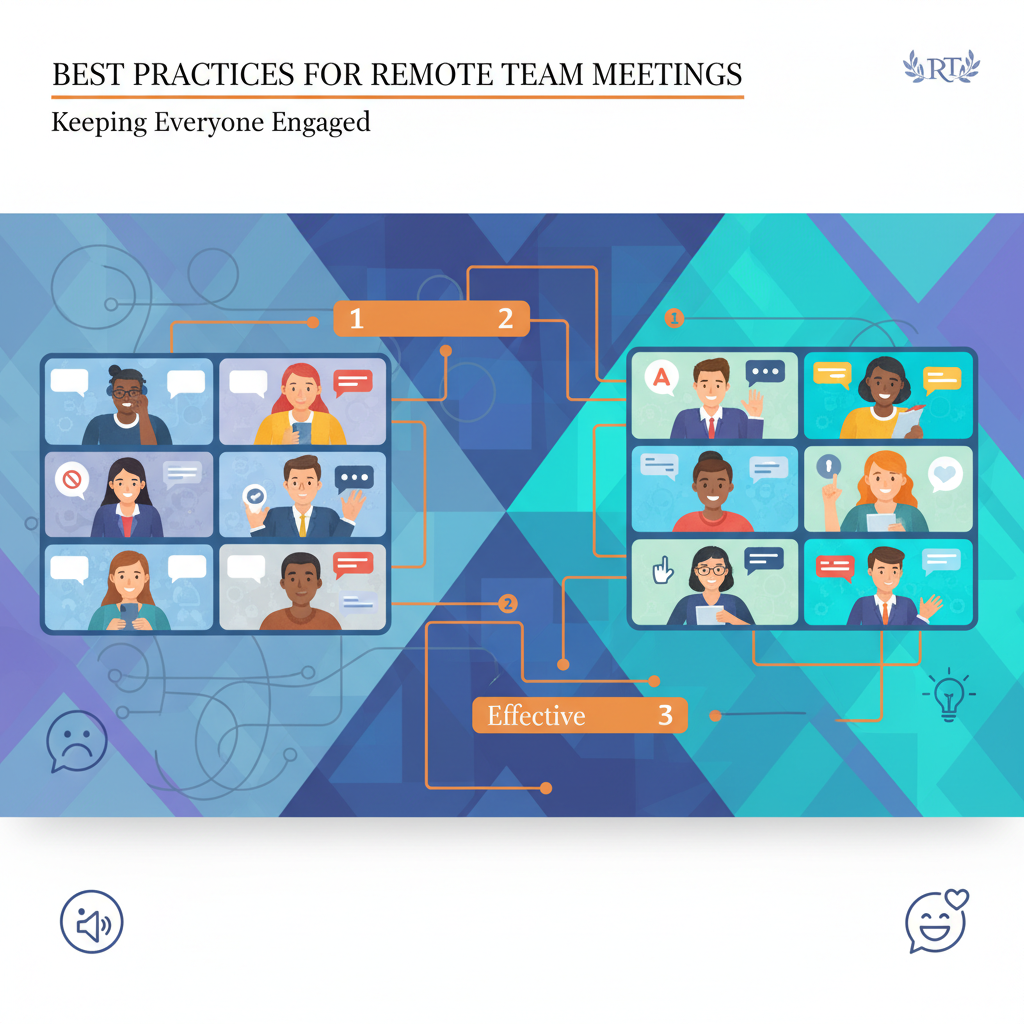
A remote meeting can look perfectly fine on paper and still feel dead in real time.
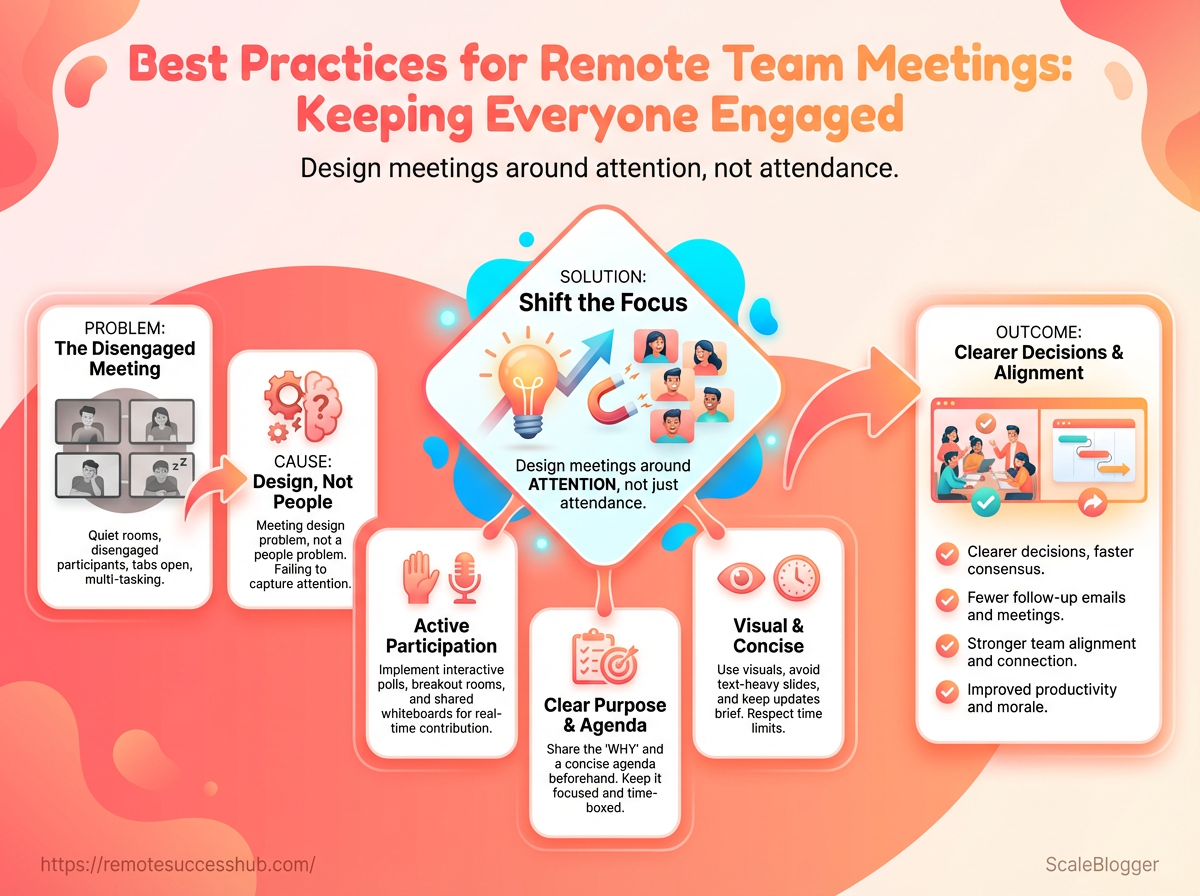
Everyone joins, the agenda exists, and then the room goes quiet except for one or two steady voices while everyone else disappears into tabs and half-finished emails.
That is usually not a people problem.
It is a meeting design problem, and remote meeting best practices start with that blunt truth.
The strongest engaged team meetings do not happen because cameras are on.
They happen because people know why they are there, when they are expected to speak, and what decision or action the meeting is supposed to produce.
That sounds simple, but simple is where most teams slip.
A few thoughtful virtual collaboration tips can change the whole tone of the call, turning awkward silence into actual participation and making remote time feel worth the effort.
When meetings are built around attention instead of attendance, people stop treating them like background noise.
The difference shows up fast: clearer decisions, fewer follow-up messages, and a team that leaves the call on the same page.
Quick Answer: Remote meetings stay engaging when they start with a clear outcome: name what must be different after the call (a decision, a blocker removed, or a shared plan locked), not just an agenda. Make participation easy by stating when people are expected to speak and filtering the agenda to only what drives that outcome—because if the purpose is fuzzy, the meeting drifts and most attendees stop paying attention.
Why are people joining this call instead of reading a message?
That question saves more time than any fancy agenda template.
If the purpose is fuzzy, the meeting usually becomes a slow drift through updates, side comments, and decisions that should have happened earlier.
Strong remote meeting best practices start by naming the outcome first, because engaged team meetings need a reason to exist beyond “we should probably talk.”
The cleanest test is simple: after the meeting, what should be different? A decision should be made, a blocker should be removed, or a shared plan should be locked in.
When the outcome is clear, virtual collaboration tips stop being generic advice and turn into a filter for what actually belongs on the calendar.
That matters even more in remote work, where attention is already split across tabs, Slack, and the rest of the day.
Many workplace guides and facilitation playbooks converge on one practical point: when you build meetings around a concrete output, you naturally reduce filler and protect focus.
If the purpose is weak, people feel it immediately.
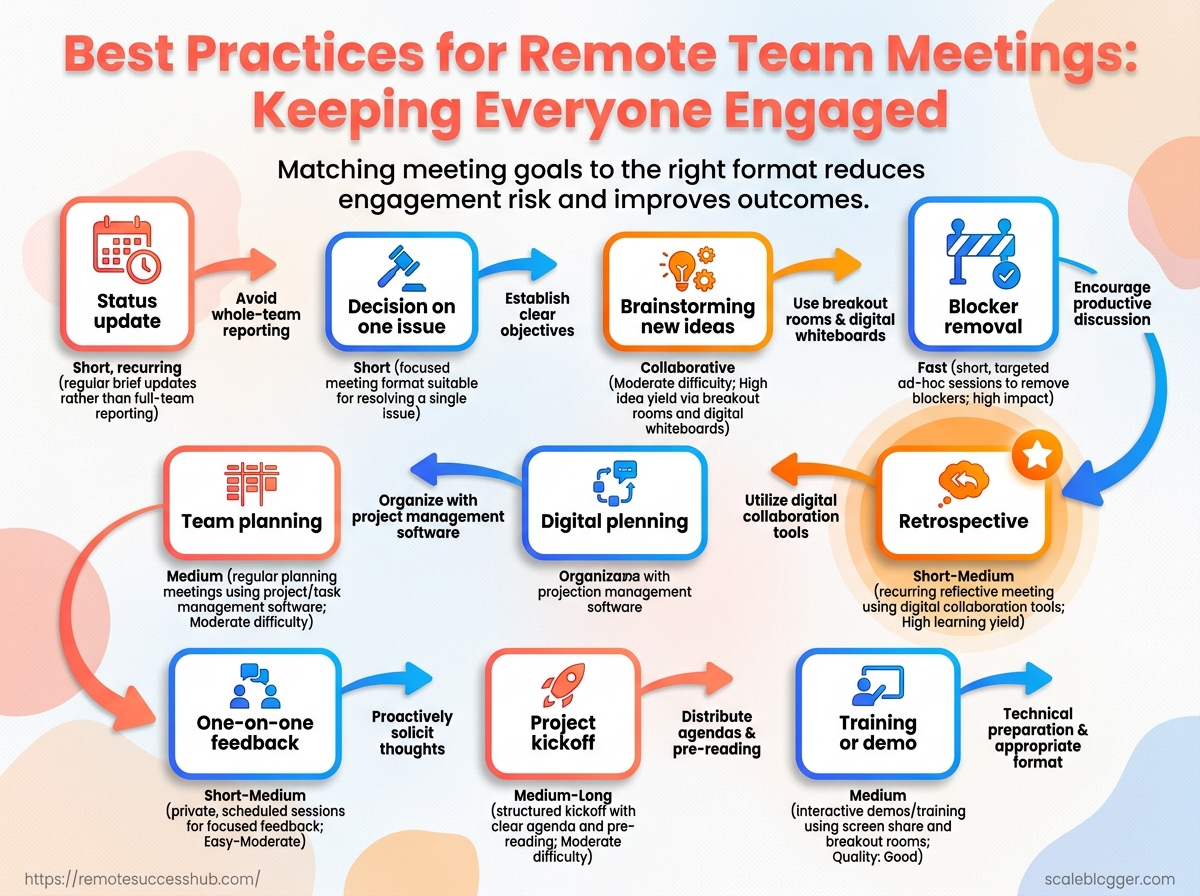
Matching the format to the goal
| Meeting goal | Best format | Ideal length | Engagement risk | Recommended outcome |
|---|---|---|---|---|
| Status update | Async update or short standup | 10-15 minutes | Low if kept brief | Shared progress snapshot |
| Decision on one issue | Decision meeting with pre-read | 20-30 minutes | Medium if options are unclear | Clear yes, no, or owner |
| Brainstorming new ideas | Facilitated idea session | 30-45 minutes | High if no prompt exists | Short list of viable ideas |
| Blocker removal | Problem-solving huddle | 15-25 minutes | Medium if too many voices join | Action plan with owners |
| Team planning | Planning session | 30-60 minutes | Medium if priorities are vague | Ranked priorities and next steps |
| One-on-one feedback | Private 1:1 meeting | 20-30 minutes | Low when trust is established | Alignment on performance and support |
| Project kickoff | Kickoff meeting | 30-45 minutes | Medium if roles are not defined | Shared scope, roles, and timeline |
| Retrospective | Retro with prompts and notes | 30-45 minutes | Medium if blame creeps in | 2-3 process improvements |
| Training or demo | Live demo with Q&A | 20-40 minutes | Low if examples are concrete | Confident use of the process or tool |
Deel’s remote team management guidance leans hard on clear goals, and that is exactly why the table works.
Status updates belong in short standups or async posts, while decisions and problem-solving need a room with fewer people and a sharper agenda.
The agenda should answer one plain-English question: why this meeting, why now? If the answer takes three sentences, the meeting is probably doing too much.
A better version is lean, specific, and written so the right people know whether they need to speak or simply stay informed.
When the purpose earns the time, everything else gets easier.
People show up ready, the call stays tight, and the result actually moves work forward.
Who gets to speak first in your meetings? In remote settings, that detail matters more than people admit.
The first voice sets the tone, and a quiet start often turns into a quiet hour.
The easiest way to fix that is to reduce the social cost of speaking.
A quick check-in does that well, especially when it is simple and low-pressure.
Instead of asking for a polished update, try something like “one word for how this week feels” or “what is one thing blocking you today?” That kind of opener fits remote meeting best practices because it gets people talking without demanding a full performance.
Etiquette guidance for remote meetings consistently recommends joining early, testing your setup, and choosing ways to invite input that don’t require people to perform on the spot.
Smaller, smoother meetings make participation feel less risky.
Start with a low-friction check-in
A fast check-in helps people cross the awkward gap between “present” and “involved.” It also gives quieter teammates a safe first touchpoint before the real discussion starts.
- One-word round: fast, human, and easy to answer.
- Traffic-light check: green, yellow, or red for workload.
- One obstacle: a simple way to surface blockers early.
Rotate the small jobs
When the same person always leads, the same person usually talks most.
Rotating facilitation, note-taking, and timekeeping spreads attention and gives different people a reason to engage.
That rotation also builds confidence.
A teammate who never facilitates can still learn to guide a discussion, and a note-taker often notices gaps others miss.
Deel’s 2026 guide to managing virtual teams ties this kind of shared ownership to stronger autonomy and flexibility.
Use prompts that invite action
Silence is not always disengagement.
Sometimes people just need a clear doorway into the conversation.
Structured prompts keep engaged team meetings moving:
- “What decision do we need today?”
- “What is still unclear?”
- “Who needs input before we move on?”
A simple prompt sequence works best: welcome, check-in, discussion, decision, next step.
It gives remote teams a rhythm they can trust, which is one of the most useful virtual collaboration tips in practice.
When participation feels easy, people speak sooner and more honestly.
That is where remote meetings start feeling lighter, faster, and a lot more useful.
A 45-minute remote call can lose energy fast when everyone sits through the same long stretch of discussion.
People stay sharper when the meeting is broken into short, focused blocks, each one ending with a decision or a clear next step.
This is the facilitation pattern that helps remote attention hold: build the agenda out of cycles—topic → decision/next step → transition.
The real trick is to design for motion, not drift.
One topic per block, one decision per block, and a light interaction every 10-15 minutes keeps people awake in the best possible way.
That rhythm is what turns participation from “waiting your turn” into “knowing what happens next.”
Interaction points that keep remote meetings alive
| Engagement tactic | When to use it | What it prevents | Example in a remote meeting |
|---|---|---|---|
| Poll | After introducing a complex idea | Silent confusion | Ask which proposal feels strongest before opening discussion. |
| Chat prompt | Before moving to the next topic | Passive listening | Type one risk in the chat before the group decides. |
| Quick vote on priorities | When two or three options are on the table | Endless debate | Use a 30-second vote to choose the rollout order. |
| Round-robin check-in | At the start of a decision block | One voice dominating | Each person shares a one-sentence view on the timeline. |
| Breakout pair discussion | After a dense update | Mental overload | Two people compare reactions for three minutes, then report back. |
| Reaction check | Before closing a topic | False agreement | Ask for a thumbs-up, thumbs-down, or neutral signal. |
They also make disagreement easier to surface early, which is where better decisions usually happen.
Research on managing distributed teams also points to consistent communication rhythms and clear decision paths as a major factor in remote performance, not just more meetings for the sake of it, as noted in 13 Tips for Managing Virtual Teams Effectively in 2026.
A meeting with built-in checkpoints feels lighter, but it usually produces cleaner outcomes.
The goal is not to make every meeting lively all the time.
It is to stop energy from leaking out in the middle, where remote teams usually lose focus first.
4. Use communication norms that reduce friction and confusion
Ever watched a remote meeting stall because nobody knew whether to unmute, type, or wait their turn? That kind of hesitation wastes time fast, and it usually comes from missing norms rather than missing talent.
Clear communication rules make meetings feel lighter.
People stop second-guessing the channel, the timing, and whether their disagreement will sound rude.
That matters in remote meeting best practices because the work is often simple; the friction comes from the social lag.
Set camera, chat, and mute expectations in advance
A meeting runs smoother when people know the default before it starts.
For example, some teams treat camera-on as the norm for small decision meetings, while keeping cameras optional for long internal updates.
The point is consistency.
A shared rule for mute, chat, and camera use removes awkward guesswork and helps people focus on the actual discussion, which is exactly what strong virtual collaboration tips are trying to protect.
- Camera use: Say when it is expected and when it is optional.
- Chat use: Reserve it for links, quick clarifications, and backup questions.
- Mute habit: Keep everyone muted unless speaking, especially in larger calls.
Guides on virtual etiquette keep pointing to the same basics: join early, test audio, listen before jumping in, and speak naturally once it is your turn, as outlined in Protouch Staffing’s 2026 virtual meeting etiquette guide.
Establish a simple turn-taking system
Discussion-heavy meetings get messy when everyone talks at once or nobody speaks first.
A lightweight system fixes that without turning the meeting into a courtroom.
A good version is simple: the facilitator calls on people in order, or uses a quick round-robin for the first pass.
Some teams also use the chat to queue questions, then answer them after the main speaker finishes.
- Round-robin: Each person gets one short turn before open discussion.
- Stacking: People add their name in chat to speak next.
- Time caps: Keep comments brief so louder voices do not take over.
That kind of structure shows up in modern remote meeting best practices for 2026, where smaller groups and tighter meeting windows consistently work better.
Make disagreement constructive, not disruptive
Healthy remote teams disagree all the time.
The difference is whether that disagreement sharpens the decision or hijacks the meeting.
A solid norm is to challenge the idea, not the person, and to offer a next step with the critique.
Phrases like “I see the risk here” or “Can we test this assumption?” keep the tone useful instead of personal.
When teams do this well, people speak honestly without feeling like they have to win.
That kind of trust is what keeps engaged team meetings productive after the screen goes dark.
5. Make remote collaboration work across time zones and work styles
Whose calendar keeps winning by default? In distributed teams, the person in the easiest time zone often shapes the whole rhythm, and that quietly burns trust.
Fair scheduling sounds simple, but it changes how people show up.
A meeting at 9 a.m. for one person and 9 p.m. for another is not neutral, even if everyone smiles through it.
The stronger approach is to treat time, input, and decisions as shared assets.
That lines up with modern remote meeting best practices and the distributed-team guidance in Deel’s 2026 virtual team management tips, both of which stress clarity, flexibility, and follow-through.
Choose meeting times fairly
A fair time slot rotates the inconvenience instead of dumping it on the same people every week.
If a team spans New York, Berlin, and Singapore, the “best” time is usually the one that spreads the pain and shows respect.
A simple rotation calendar works well.
One week favors Europe, the next favors Asia, and the next sits in the middle for the Americas.
- Rotate the burden: Shift early and late calls across regions instead of fixing one “normal” hour.
- Use core overlap windows: Reserve the narrow window when everyone can actually join live.
- Check local holidays: A meeting that looks fine in one country can land on a public holiday elsewhere.
Build async input into the agenda
The best agendas arrive with room for comments, not just instructions.
People in hard time zones, deep-focus roles, or noisy home setups can still shape the discussion before the call starts.
This is where remote collaboration gets easier.
Ask for written updates, blockers, and decisions in advance, then reserve live time for trade-offs and unresolved questions.
- Collect questions early: Let people add notes in a shared doc before the meeting.
- Mark decision points clearly: Show which items need input versus simple updates.
- Trim repeat status: If it already lives in writing, don’t spend meeting time rereading it.
Document decisions where everyone can find them
Decisions disappear fast when they only live in someone’s memory or chat thread.
A shared workspace keeps the team aligned after the call ends, especially when people join from different time zones.
The habit is straightforward: write the decision, the owner, the deadline, and the reason.
That record becomes the team’s memory when schedules, shifts, or priorities change.
- Use one source of truth: Keep decisions in a shared doc or project tool.
- Capture action owners: Every decision should name who moves next.
- Add a revisit date: Some calls settle things now, others need a checkpoint later.
For teams building stronger virtual collaboration tips, this one habit saves more confusion than another round of status meetings ever will.
It keeps remote work fair, searchable, and a lot less fragile.
A meeting can sound lively and still produce nothing useful if the materials are messy.
The fastest fix is not adding more software, but choosing a few tools that make brainstorming, polling, and note capture almost effortless.
That matters even more in remote work.
A shared whiteboard, a simple poll, and a clean agenda template usually beat a crowded stack of apps.
When people can see the same notes, vote quickly, and leave with clear next steps, engaged team meetings feel much easier to maintain.
- Use a shared board for brainstorming. A single canvas helps people add ideas at the same pace, whether they speak first or not.
- Use quick polls for decisions. Polling works well when the group needs a fast read on priorities, timing, or preferences.
- Use a live notes doc for decisions. Capture what was decided while the discussion is still fresh, not after someone tries to remember it later.
- Use an agenda template every time. A repeatable agenda keeps the meeting moving and makes it easier to spot when discussion is drifting.
- Use an action-item template. Each task should show the owner, due date, and next step, so nothing hides in vague follow-up language.
- Use visual notes when the topic is messy. Simple diagrams, grouped ideas, or rough flow maps can clarify complex topics faster than a long explanation.
The trick is matching the tool to the job.
Brainstorming needs flexibility, decisions need clarity, and execution needs accountability.
That also keeps the stack from turning into clutter.
Virtual etiquette guidance from Protouch Staffing on modern remote meeting etiquette and Joan’s 2026 meeting guidelines both reinforce the same idea: people stay sharper when the meeting setup is simple, focused, and easy to follow.
When the tools stay light, the conversation gets better.
That is where remote meeting best practices start to feel natural instead of forced.
7. Follow through so engagement continues after the meeting ends
What happened to the good ideas once the call ended? In a lot of remote teams, they vanish into someone’s memory and a half-finished chat thread.
That is why follow-through matters so much.
The meeting itself is only half the job.
The other half is turning decisions into visible next steps while the energy is still fresh.
Remote meeting best practices in 2026 keep circling back to the same point: clarity beats volume.
A meeting recap should name decisions, owners, and deadlines, not just list what people discussed.
That aligns with modern virtual team guidance from Deel’s 2026 guide to managing virtual teams and Harmony HR’s practical remote team management guide, both of which stress clear goals and repeatable communication rituals.
- Assign owners before people leave.
If two people “share” it, nobody really owns it.
A simple line like “Maya drafts the client update by Thursday” removes ambiguity fast.
That tiny habit keeps engaged team meetings from turning into polite confusion.
- Send a recap that captures decisions, not chatter.
That is much more valuable than a transcript or a wall of notes.
Remote Meeting Best Practices 2026 from SummarizeMeeting emphasizes keeping meeting outputs concise and practical, which is exactly the point here.
- Track momentum, not attendance alone.
The real test is whether the next step moved forward after the call.
Watch for completed actions, faster handoffs, and fewer follow-up pings.
If your team keeps asking, “Wait, who was doing that again?”, the process still needs work.
A good follow-through routine makes virtual collaboration tips actually stick.
Without it, even the sharpest discussion fades by lunch.
Tiny habits win here.
Clear ownership, crisp recaps, and a quick check on progress keep the next meeting from reopening the same old loop.
Make the Next Meeting Worth the Time
The biggest shift is simple: remote meetings stop feeling flat when they are built for participation, not attendance.
The strongest remote meeting best practices from this piece all point to the same idea — give people a reason to speak, a clear way to contribute, and a visible outcome to work toward.
That is what turns a polite video call into an engaged team meeting.
The example that matters most is the one from the purpose-first section.
When a meeting has one real decision to make, people stop guessing what matters and start collaborating with intent.
Add a few smart virtual collaboration tips, like tighter agendas, clearer norms, and follow-up ownership, and the whole rhythm changes fast.
Even small teams feel the difference the same week.
So start with one meeting on your calendar today and trim it down to what truly needs discussion. Rewrite the agenda around one decision, one open question, and one owner for follow-through. Do that once, and the rest of your meetings get an easier standard to live up to.