
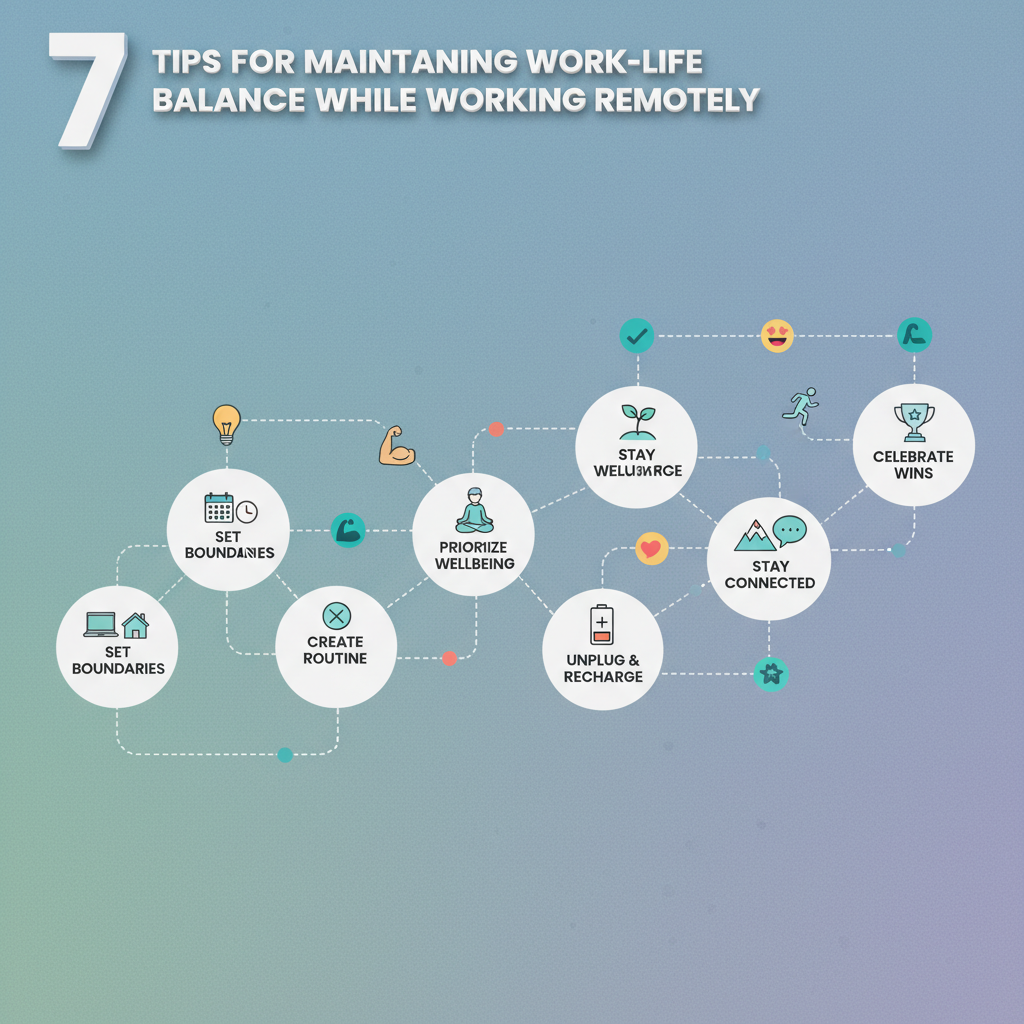
You close your laptop after dinner and the unread messages keep nagging in the corner of your mind.
That slow, sticky blur between office hours and home life is the clearest sign your work-life balance is slipping.
Remote work has perks, but it also rearranges the day without asking permission.
In a 2025 survey, 30% of remote workers said keeping that balance was a major challenge, while Buffer found in 2025 that 78% of workers named flexible schedules as essential for feeling balanced.
Part of the problem lives in habits: unclear start and stop times, a workspace that doubles as a living room, and endless context-switching.
Technology helps, yet tools can also amplify stress—think constant Slack pings or back-to-back Zooms that leave no breathing space.
Small, repeatable changes to how you set boundaries, manage notifications, and schedule breaks make staying productive at home sustainable rather than exhausting.
Table of Contents
Tip 4 — Adopt tools and automation that reduce context switching
Tip 5 — Set clear boundaries with stakeholders and housemates
Tip 6 — Schedule regular recovery and professional development
Intro: Is remote work helping or hurting your career?
Do you feel like your career is accelerating or stuck on repeat since you went remote? Many ambitious professionals report both gains and setbacks, and which side wins often comes down to simple daily habits.
Remote work can fast-track visibility and productivity when boundaries and routines are strong.
But it can also stall career momentum if days blur together, opportunities are missed, or you’re not deliberate about growth.
Recent surveys show this tension clearly.
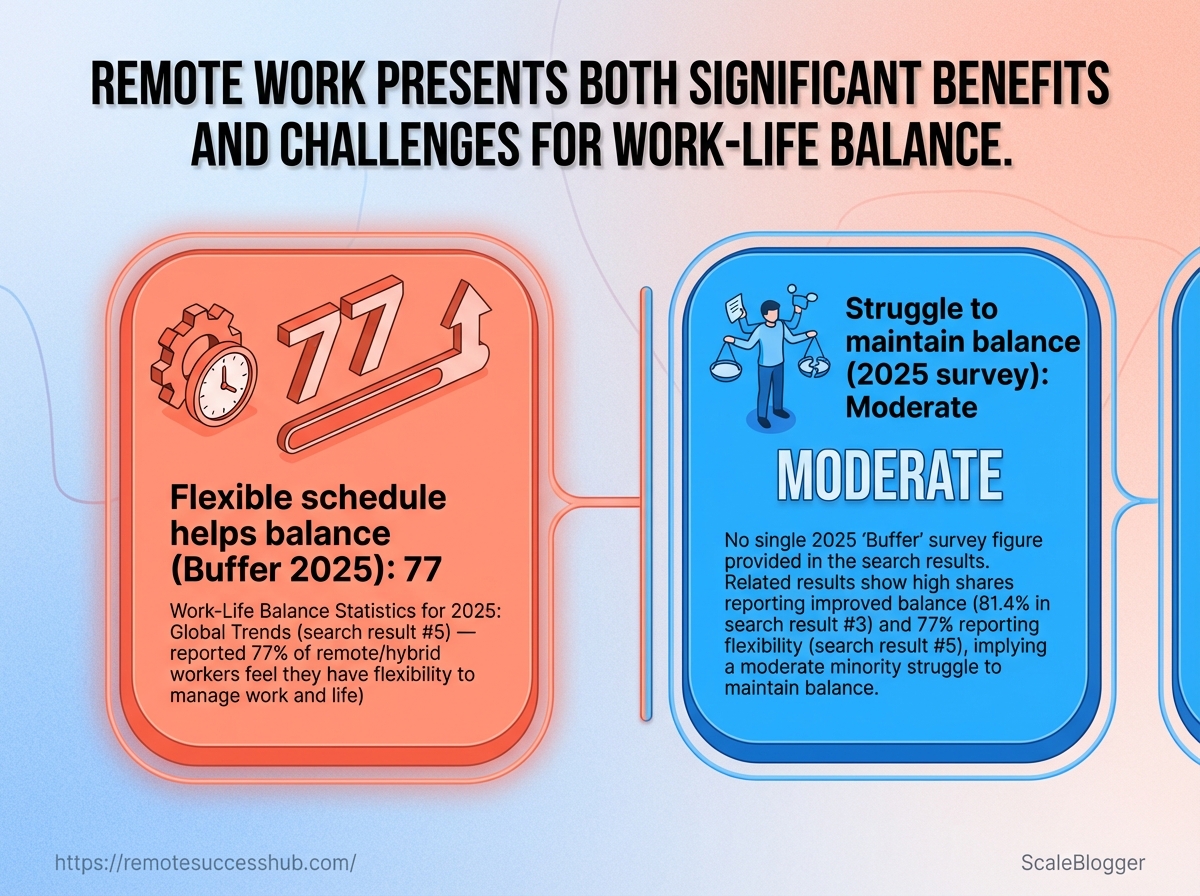
Buffer’s 2025 State of Remote Work found 78% of remote workers cite a flexible schedule as a major help for work-life balance, while a 2025 survey reported 30% of remote workers still struggle to maintain balance.
78% — Buffer 2025 State of Remote Work: flexible schedule helps work-life balance.
30% — 2025 survey: percent of remote workers reporting work-life balance challenges.
The flow diagram links boundaries → sustained productivity → clearer career progression.
It highlights where small changes pay off and where common leaks cause career friction.
Pay attention to the nodes where technology and routine intersect.
Tools like Microsoft Teams, Buffer-style flexible hours, and Zoom features for reducing fatigue shape whether those nodes help or hurt your trajectory.
Practical remote work practices to protect both balance and momentum:
Set Clear Hours: Define start/stop times and communicate them to your team.
This prevents burnout and signals reliability.
Designate a Workspace: Create a specific place for focused work, even if it’s small.
Physical separation helps mentally switch roles.
Use Technology Wisely: Pick
Microsoft Teamsor Slack habits that limit notifications and batch communication.Less noise, better focus.
Take Regular Breaks: Short, scheduled breaks reduce fatigue and improve output during deep work windows.
Block Growth Time: Reserve 90 minutes weekly for skill development or visibility-building work.
How to use this list: quick, applicable steps
Start with one change this week — pick Set Clear Hours and stick to it for five workdays to test impact.
Add one tech rule next — mute notifications outside focus blocks or adopt a Zoom setting that reduces meeting fatigue.
Measure career impact monthly — track completed projects, visibility moments, and stress levels to see what moves the needle.
Platforms like https://remotesuccesshub.com/ collect practical remote work tips and community-tested routines if you want a place to compare experiments.
Work-life balance doesn’t need to be a luxury.
With a few disciplined habits and smarter use of tools, remote work can help you build momentum rather than erode it.
Tip 1 — Design a consistent, career-focused daily routine
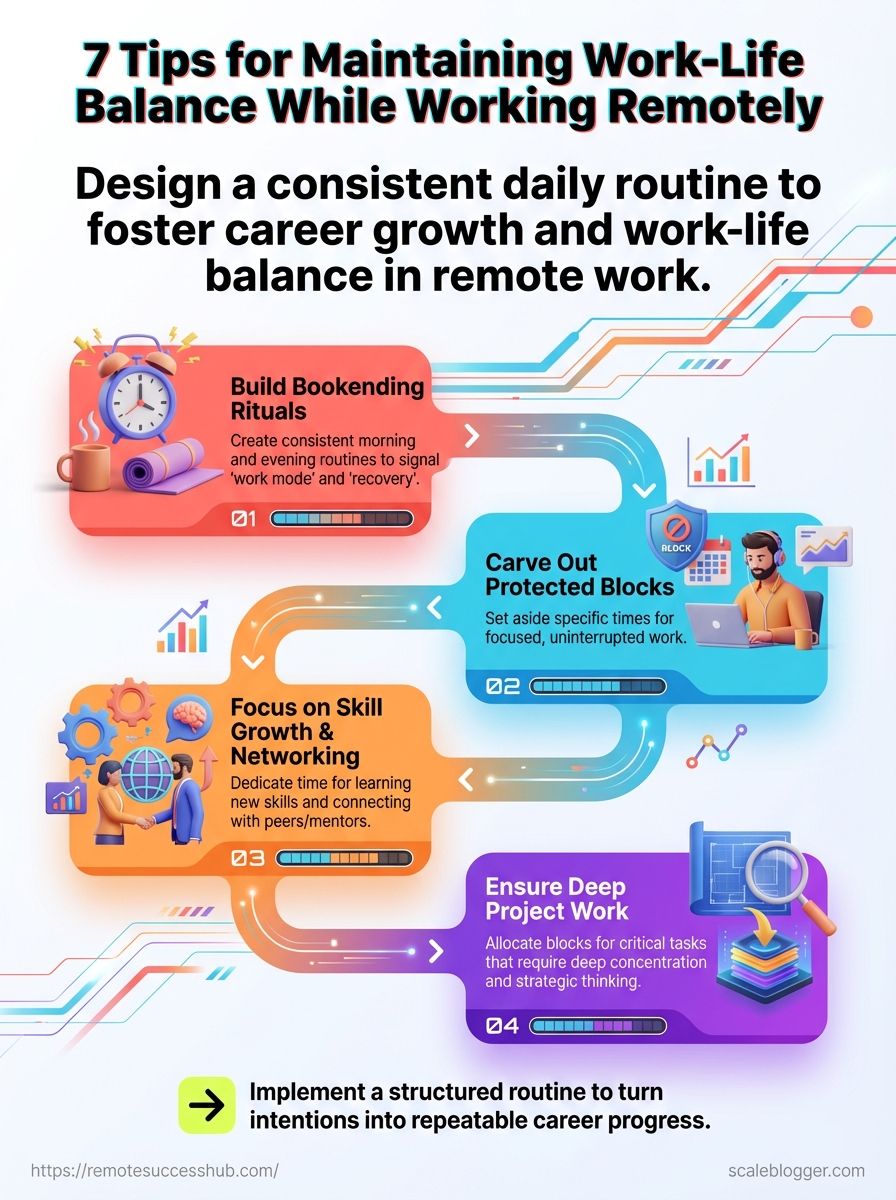
Do you ever finish a remote workday and feel like you were busy but not moving your career forward? A routine that signals “work mode” and “recovery” removes friction, frees cognitive bandwidth, and creates space for deliberate career work.
Build rituals that bookend the day and carve out protected blocks for skill growth, networking, and deep project work.
That combination turns vague intentions into repeatable progress and helps avoid the common remote trap of 24/7 availability.
A structured routine doesn’t need to be rigid.
Treat it like a scaffold: consistent enough to create momentum, flexible enough to adapt when priorities shift.
Morning ritual that signals work mode
Start with a 10–20 minute ritual that cues focus and clarifies priorities for the day.
Simple actions work best: make coffee, open a single tracking doc, and read one paragraph of a professional article or a micro-course lesson.
Wake and move: 5–10 minutes of light movement to boost alertness.
Zero-check: don’t open email or Slack until you complete the next step.
Set three goals: write the top three career-impacting tasks in one place (
3-toprule).Begin the first deep block within 30 minutes of the ritual.
Why it works: the ritual reduces decision fatigue and ensures the first energy block is spent on forward-moving work rather than reactive emails.
End-of-day ritual that signals recovery
Close the workday with a short, explicit shutdown routine.
That might be a five-minute log of accomplishments, a quick update to your project board, and a calendar check for tomorrow’s deep work.
Log wins: Note two things you completed to reinforce progress.
Set tomorrow’s priorities: Place a single
career-developmentitem on the next day’s list.Physical separation: Put work devices in a designated spot for the evening.
Why it works: an intentional shutdown helps restore boundaries, which is crucial given that a 2025 survey found 30% of remote workers struggled with work-life balance.
Time-boxing for deep work and career development tasks
Block time in your calendar like appointments you cannot cancel.
Use 90-min deep sessions for complex tasks and 25/5 sprints for focused learning or small project work.
Reserve two deep blocks per week for career development (learning, writing, networking outreach).
Protect one weekly “career sprint” of
120-minfor portfolio updates or public work.Treat these blocks as meeting-level commitments—decline or reschedule other requests.
Why it works: Buffer’s 2025 report showed flexible scheduling is a major factor in balancing remote life.
Time-boxing converts flexibility into measurable progress.
Pull these elements together and your daily routine becomes a career engine rather than a to-do list.
Small, repeatable rituals plus protected time deliver steady momentum.
Tip 2 — Create a dedicated workspace that separates roles
Do you find yourself blurring work and home until neither feels right? When the same surface hosts emails, dinner, and side projects, attention fragments and stress rises.
A dedicated workspace that clearly separates professional roles from personal life resets both behavior and expectations.
Physically stepping into a work zone sends cognitive signals that help with focus, decision-making, and task prioritization.
That separation also protects time for recovery, which matters for long-term career growth and work-life balance — remember 30% of remote workers reported trouble keeping that balance in 2025.
Designing that space doesn’t need to be elaborate.
Small changes to layout and ergonomics yield outsized gains for staying productive at home and for career-facing tasks like interviews, focused deep work, and client calls.
Workspace layout and ergonomics to sustain long-term productivity
Start from posture and optics.
Comfortable seating, a monitor at eye level, and proper keyboard height reduce fatigue and keep thinking sharp over months and years.
Lighting matters as much as furniture.
Natural light or a daylight-balanced lamp reduces eye strain and makes video calls look more professional.
Add soft background elements to minimize visual distractions on camera.
Use the following ergonomics checklist to tune the space quickly:
Monitor height: Top of screen at eye level and 20–30 inches away.
Chair support: Lumbar support with adjustable seat depth.
Keyboard position: Elbows at ~90 degrees; wrists neutral.
Lighting: Daylight-balanced task lamp + soft ambient light.
Movement plan: sit-stand rhythm every 45–90 minutes.
Comparing workspace setups for focus vs. collaboration
This table compares three common setups and shows which works best for deep focus or team collaboration.
Comparing workspace setups for focus vs. collaboration
Workspace type | Best for | Typical distractions | Productivity score (1-5) | Quick improvement tips |
|---|---|---|---|---|
Dedicated home office | Deep focus, client calls, career tasks | Household noise if not isolated | 5 | Add door/room divider, use noise-cancelling headset, set visible “do not disturb” sign |
Shared living area | Quick tasks, casual meetings, family time | Conversations, TV, foot traffic | 2 | Use portable privacy screen, schedule core focus hours, use background blur on video |
Multipurpose room / kitchen table | Short bursts, admin work, task switching | Meal prep, interruptions, clutter | 3 | Keep a rolling laptop kit, clear surface at start/end, use headphones and short focused sprints |
The dedicated home office scores highest for focus and professional polish because it minimizes interruptions and supports proper ergonomics.
Shared spaces work for flexible schedules but demand strict rules or tech aids to protect deep work.
Multipurpose setups can function for bursts but need routine cues — like a rolling kit or a consistent start ritual — to shift the brain into work mode.
Practical note: tools and culture matter.
Platforms such as Microsoft Teams and features designed to limit interruptions can help coordinate boundaries during collaborative periods, while flexible schedules (78% of remote workers cited flexibility in Buffer’s 2025 report) make role separation realistic.
A clear physical boundary reduces decision fatigue and preserves attention for high-impact career work.
Design the smallest, most consistent zone you can and protect it.
Tip 3 — Use calendar and task systems to protect focus time
Do calendar and task systems defensively: they shield uninterrupted work from the avalanche of messages and meetings that eat creative hours.
Blocking chunks of time and making those blocks visible forces a different conversation—about availability, priorities, and career investment.
Make your scheduling explicit.
Treat focus time like a recurring meeting with an important client.
When it’s on the calendar, teammates respect it more often, and you gain predictable windows for deep work and skill-building.
This approach also supports healthier boundaries and better work-life balance.
Buffer’s 2025 State of Remote Work report found flexible schedules were central to balance for many remote employees, and formal blocks give flexibility a structure.
How to block focus time and schedule “no meeting” hours
Start by picking your most distraction-free hours across the week and block them as recurring events labeled Focus or Deep Work.
Use Do Not Disturb on Slack and calendar visibility set to busy so others know those slots are off-limits.
Audit your calendar: Track where meetings and context switches happen for one week.
Pick blocks: Reserve 60–120 minute blocks for deep work, two to four times weekly.
Communicate boundaries: Add short notes in the event (e.g., “No meetings — heads-down time”) and tell key collaborators.
This method reduces context switching and increases the odds of finishing ambitious tasks that move your career forward.
Integrating career growth tasks into weekly planning
Set a repeating 90-minute slot each week for career tasks: learning, networking, portfolio work, or strategic planning.
Put concrete actions in that slot—finish one course module, write one case study, reach out to two contacts.
Weekly review: Reserve 15 minutes on Friday to convert big goals into next-week calendar blocks.
Sprints for skills: Schedule 4–6 week sprints where focus blocks center on a single skill or project.
Using this structure keeps career development visible and measurable instead of “one more thing” after work.
Tools, examples, and practical templates
Use your calendar’s repeating event feature and pair it with a task system that surfaces next actions.
Microsoft Teams and Do Not Disturb modes help signal availability.
Zoom’s meeting settings and Buffer-style flexible hours inform team norms that protect your blocks.
Example calendar pattern: Monday/Wed 9–11am Deep Work; Friday 2–3pm Career Growth.
Task system tip: Link calendar blocks to specific tasks in your to-do app so you arrive ready to execute.
Platforms like https://remotesuccesshub.com/ offer templates for blocking focus time and weekly planning if you want a ready-made starting point.
Protecting focus with calendar and task systems turns vague intentions into reliable habits that keep you productive at home and steadily advancing your career.
📥 Download: Download Template (PDF)
Tip 4 — Adopt tools and automation that reduce context switching
How often does your attention flick from a chat ping to a doc to a calendar invite? Those tiny shifts cost energy and fragment deep work, and they quietly stall career momentum.
Tools can either multiply interruptions or collapse them into predictable flows.
Choose systems that centralize context, automate handoffs, and make async work the default.
That approach protects focus and creates visible outputs you can point to in performance conversations.
Adopt apps that serve clear roles: one place for team chat, one for project tracking, one for live meetings, and a small automation layer that moves information between them.
When properly wired, these tools reduce the number of manual context switches per task and make it easier to batch work — a tactic proven to help people stay productive at home and preserve work-life balance (30% of remote workers reported balance challenges in 2025).
Essential tools for communication, docs, and async collaboration
Team chat (Slack / Microsoft Teams): Fast clarifications and threaded discussions to keep decisions visible.
Doc collaboration (Google Docs / Notion): Living docs replace back-and-forth email and preserve edit history.
Project tracking (Asana / Trello): Tasks with owners, due dates, and status reduce ad-hoc status checks.
Async video/voice (Loom / Slack Huddles): Record short walkthroughs to avoid synchronous meetings.
Automation layer (
Zapier/Make/Power Automate): Move data between apps so updates happen without manual copy-paste.
How to evaluate a tool’s ROI for your workflow Three practical signals matter most: time saved on repetitive work, fewer required meetings, and clearer traceability of outcomes.
Tools that improve those metrics justify their cost quickly.
Use the checklist below to score each candidate against those criteria and decide whether to keep testing or remove it.
Tool checklist to evaluate ROI for your workflow
Tool name | Primary function | Time savings (estimate) | Career benefit | Keep / Test / Remove |
|---|---|---|---|---|
Slack / Microsoft Teams | Team chat and quick coordination | 10–20% weekly time saved on coordination | Faster feedback loops; visibility for quick wins | Keep |
Asana / Trello | Project and task management | 15–25% less meeting time for status updates | Clear ownership helps performance reviews | Keep |
Google Docs / Notion | Real-time doc collaboration and KB | 10–30% fewer email threads | Better artifacts to cite in promotions | Keep |
Zoom | Synchronous video meetings | Reduces time per meeting with agenda templates (5–15%) | Preserves rapport for cross-team projects | Test |
Loom | Async video explainers | Saves repeated demo time — ~30 minutes per demo | Demonstrates leadership and clarity of thought | Test |
Zapier / Make / Power Automate | Cross-app automation | Automates repetitive handoffs; 5–10 hours/month saved | Frees space for strategic work and learning | Keep |
Focus apps (Freedom / Forest) | App/site blocking for deep work | Increases uninterrupted blocks by 2–3x | Improves quality of deliverables and learning time | Keep |
Calendar booking (Calendly) | Streamlines scheduling | Eliminates timezone back-and-forth; saves 1–2 hours/week | Easier external meetings and stakeholder access | Keep |
Notion / Confluence (KB) | Central knowledge repository | Cuts onboarding/time-to-answer by 20–40% | Shows system-level impact in reviews | Keep |
Email triage tools (SaneBox / Superhuman) | Prioritizes inbox | Reduces inbox handling time by 30–50% | Keeps focus on high-value requests | Test |
This checklist is practical: score tools by how much time they save, whether they cut meetings, and whether they create artifacts you can point to during reviews.
If a tool doesn’t move at least one of those levers, it usually belongs in the test/remove pile.
Automate three common handoffs
Map the manual steps for a recurring task (e.g., new hire onboarding) and identify data that moves between apps.
Build one automation (
Zapier,Power Automate) to move that data and validate it for a week.Measure time saved and reduced meetings; iterate or retire the automation.
Adopting tools this way reduces context switching and preserves deep focus.
Small automations compound: they free time, improve outputs, and make remote work less fragmented — which helps both productivity and long-term career progress.
Tip 5 — Set clear boundaries with stakeholders and housemates
Ever had a sprint review where a housemate wandered in mid-demo? That kind of interruption slices focus and signals that your work time isn’t protected.
Set clear boundaries by negotiating availability with your manager and creating household agreements that are visible and enforceable.
This reduces surprise interruptions and helps others respect your work rhythm.
Use data to back your ask.
Buffer’s 2025 State of Remote Work found 78% of remote workers say a flexible schedule is crucial for work-life balance.
At the same time, 30% of remote workers in a 2025 survey reported trouble maintaining that balance.
Those numbers make a practical case for structured availability.
How to negotiate work hours and availability with managers
Start the conversation with concrete options, not just a complaint.
Propose 2–3 workable schedules that cover core overlap with the team and preserve your focused blocks.
Propose core hours: Offer a
09:30–15:30overlap window that guarantees synchronous time.Explain how this preserves collaboration while freeing deep work hours.
Show impact: Bring one or two recent tasks that suffered from fragmentation and explain how blocked focus time would improve delivery.
Offer fallback rules: Agree on
urgentvsnon-urgentdefinitions and preferred channels for each.Urgentgets a phone call;non-urgentgoes to email or ticket.Document the agreement: Put hours and response SLAs in your team handbook or calendar events so expectations are visible.
Revisit after a trial: Set a 4-week check-in to review how the schedule affected outcomes and morale.
Household agreements and visible signals to reduce interruptions
Household rules work best when they’re simple, posted, and paired with signals.
Treat them like team norms.
Bold: Work zone signs: Place a visible sign or red/green flag on your door to show
on-callordo not disturb.Bold: Quiet windows: Establish guaranteed quiet blocks for deep work (e.g., 10:00–12:00).
Bold: Shared calendar: Add your work blocks to a shared household calendar so everyone can see when you’re unavailable.
Bold: Chore swaps: Trade off louder activities (laundry, vacuum) for times when you’re available.
Bold: Visual countdowns: Use a simple timer in the room that shows remaining focus minutes—it’s easier for kids and roommates to respect.
Tools can help. Use Do Not Disturb statuses in Microsoft Teams and set a clear presence in Slack or your calendar.
For video calls, Zoom’s features can help reduce interruptions by preferring audio-only or scheduled breaks.
Practical templates for household agreements and negotiation scripts are available on platforms like https://remotesuccesshub.com/ if a ready-made starting point helps.
Boundaries don’t mean isolation—they mean predictable collaboration and fewer surprises.
Clear signals and a short negotiation can protect your focus and improve everyone’s balance.
Tip 6 — Schedule regular recovery and professional development
Think of recovery and learning as planned investments, not optional extras.
Blocked time for both protects your energy and keeps skills from slipping while you handle billable work.
Remote life tempts people to cram every free minute with tasks.
Scheduling micro-recovery and weekly learning prevents churn and creates predictable momentum for career growth.
In a 2025 survey, 30% of remote workers reported challenges maintaining work-life balance.
Buffer’s 2025 State of Remote Work found 78% of remote workers said a flexible schedule helped improve balance.
Plan micro-breaks and weekly reset rituals
Micro-breaks restore attention quickly and cheaply.
Schedule short, frequent pauses that are non-screen and genuinely restorative.
5–10 minute movement breaks: Stand, stretch, or walk; repeat every 60–90 minutes.
This lowers fatigue and resets concentration.
Phone-free lunch: Eat away from the desk for 30–45 minutes.
Avoid email until after the break to recharge cognitively.
Weekly reset ritual: Spend 30–45 minutes on Friday listing wins, clearing low-value tasks, and setting three focus goals for next week.
This creates psychological separation between workweeks.
Monthly “no-meeting morning”: Reserve one morning per month for uninterrupted deep work or a long learning session to accelerate skill growth.
Examples of weekly schedules that balance billable work and skill growth
Schedule type | Hours for deep work | Hours for meetings | Hours for professional development | Recovery / personal time |
|---|---|---|---|---|
Conservative (for high burnout risk) | 18 hrs | 10 hrs | 2 hrs | 40 hrs |
Balanced (standard) | 24 hrs | 8 hrs | 4 hrs | 36 hrs |
Aggressive (career-acceleration) | 30 hrs | 6 hrs | 6 hrs | 30 hrs |
These templates are starting points.
Adjust the numbers so your deep work and learning blocks align with deadlines and energy cycles.
If burnout risk is high, shift hours toward recovery and shorten meeting windows.
How to build learning blocks into a busy week
Pick a 90-minute weekly block and protect it on your calendar as
learning.Treat it like a client meeting.
Define micro-goals: Choose one focused objective (e.g., complete a module, build a small demo) to avoid scatter.
Mix formats: Alternate reading, hands-on practice, and peer feedback to keep momentum.
Pair learning with recovery: After a deep learning session, schedule a light social or active recovery to encode progress emotionally.
Scheduling recovery and development makes remote work sustainable and promotable.
Keep blocks immutable, iterate monthly, and watch steady progress replace frantic busyness.
Tip 7 — Maintain social connection and accountability
Isolation isn’t just lonely; it slows career momentum.
Remote professionals who stay connected to peers, mentors, and accountability partners keep ideas visible, get timely feedback, and are more likely to take career-forward risks.
Joining structured groups reduces churn in focus and motivation.
In 2025, 30% of remote workers reported challenges maintaining work-life balance, and flexible schedules were a major help for many — Buffer’s 2025 report found 78% of remote workers named flexibility as a key factor for balance.
Pairing flexibility with regular social touchpoints keeps both energy and visibility high.
Technology can help without overwhelming.
Tools from Microsoft and Zoom make synchronous check-ins easy, while cohort platforms and niche communities provide the longer-term accountability that calendar blocks alone can’t deliver.
Build a mix of social anchors
A single weekly chat won’t cut it.
Combine short, regular touchpoints with deeper mentor relationships to cover both momentum and strategy.
Peer cohort: Small group that meets biweekly to review wins and blockers.
Accountability partner: One-on-one check-ins twice a week for micro-goals.
Mentorship: Monthly career planning sessions with a senior mentor.
Community channels: Asynchronous Slack or forum threads for quick feedback.
Imagine a product manager who pairs a mentor’s quarterly roadmap review with a weekly cohort demo.
The mentor shapes long-term direction while the cohort enforces short-term delivery and visibility.
A practical setup you can try this week
Pick goals: Write 3 outcomes for the next 30 days (
visibility,skill,deliverable).Choose partners: Invite one mentor, one peer cohort (3–5 people), and one accountability partner.
Schedule the rhythm: 10–15 minute daily standup with partner, 60-minute biweekly cohort, 60-minute monthly mentor review.
Use tech sparingly: Reserve synchronous time for decisions; use
@mentionsand threads for asynchronous updates.Review and adapt: After one month, drop what’s not working and double what is.
Short guided resets to keep energy steady
Brief, guided practices stop attention drift and reduce Zoom fatigue between sessions.
Try a 3–5 minute desk stretch plus breathing routine to reset focus and calm the nervous system.
This short video shows a compact sequence you can do before a check-in or after a deep focus block.
Use it as a ritual to mark transitions and keep energy consistent.
Platforms like https://remotesuccesshub.com/ can help you find cohorts and accountability partners tailored to remote professionals.
Staying connected is as much about rhythm as it is about people.
Regular social anchors and tiny, repeatable resets keep motivation, visibility, and career momentum moving forward.
Conclusion
How to close the day without losing career momentum
That nagging unread-message feeling after you close your laptop is a sign, not a flaw: your systems are leaking time and attention.
The single most valuable insight in this piece is simple — build clear routines and boundaries so work has a shape, and life has room to breathe.
A consistent, career-focused daily routine paired with an actual physical workspace stops the blur between tasks and evenings.
Blocking focus time and using task systems really changes the math on productivity and wellbeing.
Remember the calendar-and-task combo from the tips section: when focus blocks replace reactive inbox time, work becomes measurable and evenings stop being hostage to notifications.
Tools like Remote Success Hub can help with templates and routines if a ready-made starting point is useful.
Start with one small, testable move tonight: block a 90-minute no-meeting, no-notification focus window on your calendar and close your laptop when it ends. That single experiment will show whether your boundaries hold and whether your remote work tips actually improve staying productive at home.
Try it; tweak from there.